If you create videos for YouTube, TikTok, or Instagram, you already know the struggle. You need clean voiceovers, but recording them yourself takes time. Hiring voice actors is expensive. And most AI voice tools still sound robotic.
That is where VocalLab AI comes in. This browser-based AI voice studio promises studio-quality voiceovers, instant voice cloning, and karaoke-style captions all in one place. I tested it thoroughly to see if it delivers. And I found my honest VocalLab AI review below.
If you want to try it yourself, grab the VocalLab AI lifetime deal on AppSumo while it is still available.
What Is VocalLab AI?
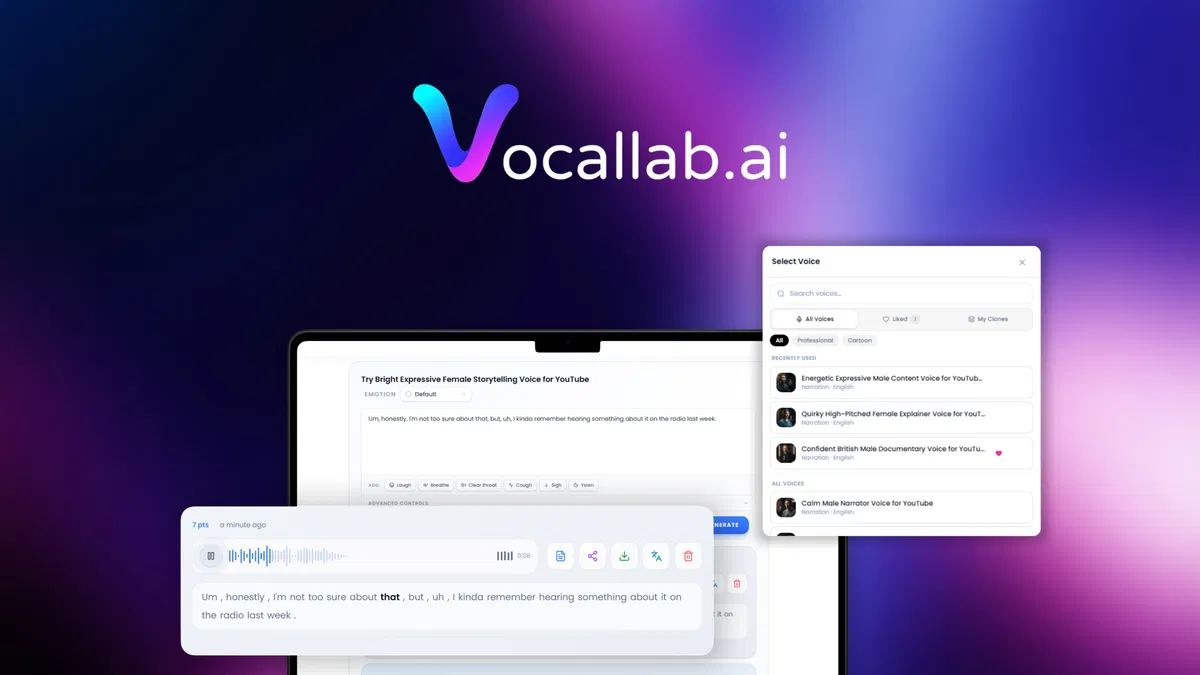
VocalLab AI is a neural text-to-speech and voice cloning platform built for content creators. Unlike older tools that produce flat, robotic speech, VocalLab uses AI models to generate expressive, natural-sounding voiceovers with human-like pacing, breaths, and emotions.
The platform lives entirely in your browser. You do not need a microphone, recording studio, or audio editing skills. You type your script, pick a voice, and export a ready-to-use MP3 file with matching SRT captions in seconds.
VocalLab was founded in November 2025 by independent developer Petr Sibirtsev and is based in Tel Aviv, Israel. The team has been shipping updates weekly based on user feedback, which is a good sign for a young product.
The tool positions itself as an ElevenLabs alternative that is more affordable and easier to use, especially for short-form video creators who need speed and simplicity. If you are exploring different AI content creation tools, this one is worth a close look.
Main Features
260+ Professional AI Voices
VocalLab gives you access to over 260 voices across different accents, ages, genders, and styles. You can filter by language, accent, and tone to find the right voice for your project. The voices cover English, Spanish, German, French, Portuguese, Japanese, Korean, Italian, and more.
What makes this useful is variety. If you run a YouTube channel with multiple characters or segments, you can assign different voices to different parts of your content without needing voice actors.
Voice Cloning from Any Sample
You can clone any voice from a short 10 to 30 second audio sample. The AI analyzes the acoustic patterns and builds a neural model that reproduces that voice on demand. You can save your clones in a secure voice library for reuse across projects.
This is a big deal for podcasters and series creators who want a consistent narrator voice across episodes. It also works for brands that want a signature voice for their content.
Voice Design
Do not have a sample to clone from? You can design a brand new voice from scratch. Just describe the accent, age, gender, and tone you want, and VocalLab generates it. There is even an “Improve” button that rewrites rough descriptions into detailed prompts the model follows well.
Expressive Speech Controls
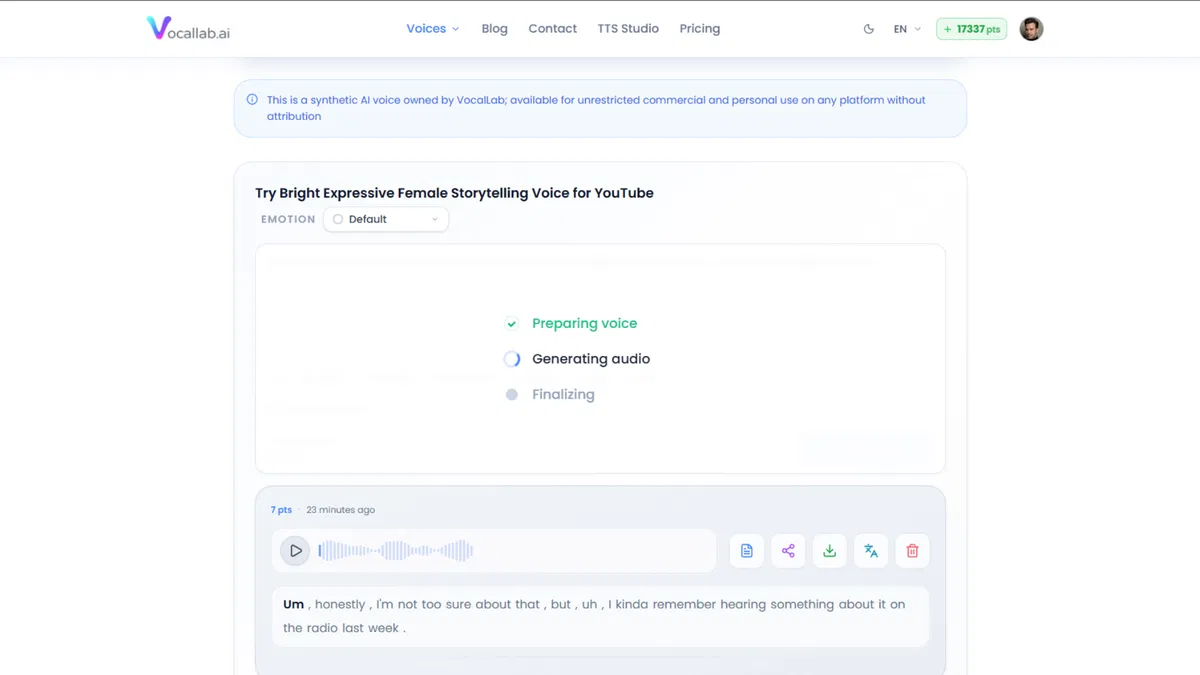
This is where VocalLab stands out. You can add breaths, laughs, sighs, throat clears, and coughs anywhere in your script using simple tags. You can also choose from eight emotions including happy, sad, whispering, excited, and more to match the tone of each scene.
These small touches make the difference between a voice that sounds like a robot reading a script and one that sounds like a real person talking.
Karaoke-Style SRT Captions
VocalLab exports word-level SRT captions with karaoke-style highlighting. This means each word is timestamped individually, creating the kind of captions that work perfectly for YouTube Shorts, Instagram Reels, and TikTok videos.
You can export MP3 and SRT files together, keeping your audio and caption workflow in one place.
Audiobook Editor (Beta)
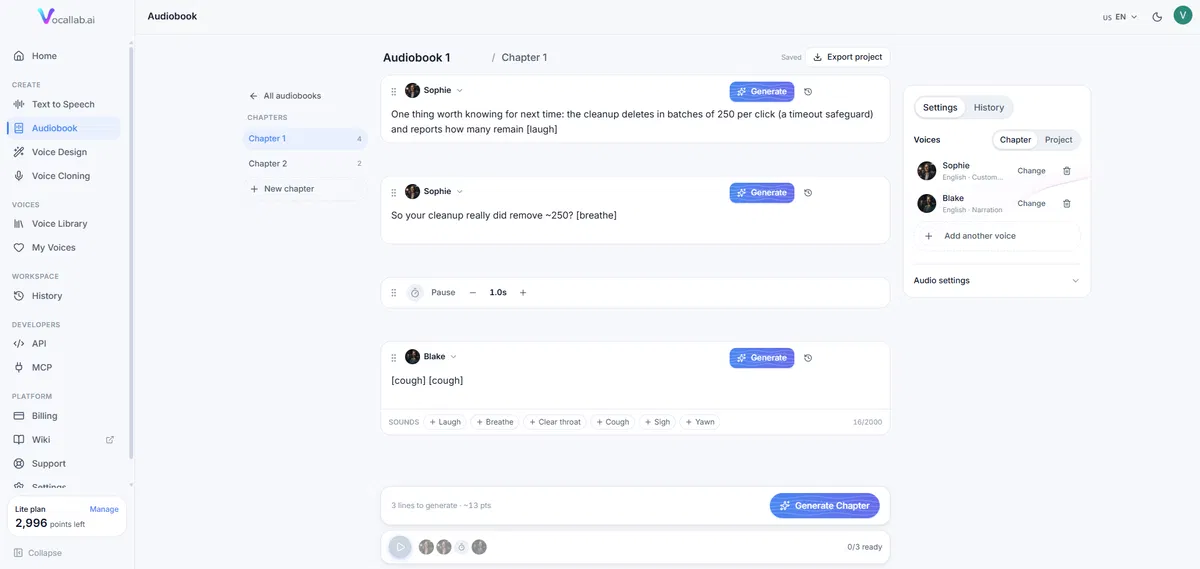
For longer projects, VocalLab offers a chapter-based audiobook workspace. You can paste your entire script and it auto-splits into editable blocks. This is useful for narrators, educators, and anyone producing long-form audio content.
Speech to Text (New)
VocalLab recently added speech-to-text functionality. You can upload or record audio and get accurate transcripts in 25+ languages with auto-detection. This costs about 4 times less than generating speech, making it useful for repurposing existing audio.
Pros
- Excellent voice quality. The output sounds natural with proper pacing, intonation, and expression. Multiple users report viewers asking which voice actor they hired.
- Fast generation. Most voiceovers generate in 1 to 3 seconds. You can iterate quickly without waiting.
- Full commercial license. Every voice on VocalLab comes with commercial rights. You can use it in ads, monetized videos, podcasts, and client work without attribution.
- Active development. The team ships new features weekly based on community feedback. Recent additions include speech-to-text, improved audiobook editor, and 90+ experimental languages for cloning.
- Responsive support. The team replies in 30 minutes to 12 hours via live chat and email.
- 60 day money-back guarantee. AppSumo covers your purchase, so you can test it risk-free.
Cons
- Credit-based system. VocalLab uses a point system (1 minute = 60 points). Heavy users on lower tiers may run out of credits quickly.
- Voice cloning quality varies. While generally good, cloning quality depends on the clarity of your source audio. Noisy samples produce less accurate results.
- Experimental languages are inconsistent. The 90+ experimental languages work but quality is less consistent than the 15 core languages. The team is transparent about this.
- Relatively new product. Founded in November 2025, VocalLab is still maturing. Some features like the audiobook editor are in beta.
- No mobile app. The platform is browser-based only, which limits on-the-go editing.
Also Read: ArtSpace AI 2026: 311+ Tools & A Lifetime Deal For Every Budget
Who Is VocalLab AI Best For?
- YouTubers and content creators who need regular voiceovers for videos, tutorials, and explainers.
- TikTok and Reels creators who want quick, clean narration with matching captions for short-form content.
- Podcasters who need intros, transitions, and character voices without hiring voice talent.
- Online educators and course creators who produce training materials and need consistent narration.
- Marketers and social media managers producing ads, product demos, and branded content.
- Faceless channel operators who build channels around narration without showing their face.
Real Use Cases
YouTube Tutorials
Michael B., a YouTube educator, uses VocalLab for tutorial voiceovers. He reports that multiple viewers asked which voice actor he hired because the audio sounds so natural. The export speed lets him publish videos faster.
Storytime TikTok Series
Lauren D. creates storytime videos and TikTok series. She uses VocalLab’s voice cloning to maintain a consistent narrator across episodes, which is important for serialized content where viewers expect the same voice.
Product Demos and Ads
Anthony R. produces YouTube ads and product explainers. VocalLab helps him avoid the time and cost of recording sessions while still delivering professional-sounding voiceovers for his campaigns.
Pricing
VocalLab offers three subscription tiers on its own website:
- Lite ($9/month): 50 minutes of audio, 10,000 characters per generation, 1 voice clone, standard audio quality.
- Pro ($24/month): 200 minutes of audio, 40,000 characters per generation, 10 voice clones, Studio audio quality, API access, WAV downloads.
- Studio (Custom): Unlimited minutes, pay-as-you-go, unlimited clones, team workspace, dedicated support.
You can also top up minutes anytime. Credits never expire and work with any plan.
AppSumo Lifetime Deal Overview
VocalLab AI is currently available as a lifetime deal on AppSumo with four license tiers:
- Tier 1 ($49): 50 minutes per month, 1 seat, 1 voice clone, 30-day audio history, Pro audio quality.
- Tier 2 ($139): 150 minutes per month, 1 seat, 10 voice clones, 90-day audio history, Studio audio quality.
- Tier 3 ($299): 400 minutes per month, 1 seat, 100 voice clones, 90-day history, Studio quality, API access (60 calls/min), MCP access.
- Tier 4 ($699): 1,000 minutes per month, 3 seats, 200 voice clones, 180-day history, Studio quality, API access (120 calls/min), priority generation, WAV downloads.
Compared to paying $9 to $24 monthly, the lifetime deal pays for itself in 5 to 12 months depending on the tier. The deal is refundable for 60 days, so you can test it risk-free. If you are looking for great AI-powered content tools on AppSumo, this is one of the best deals available right now.
Check the latest VocalLab AI pricing and deals on AppSumo here.
Ease of Use
VocalLab is designed for speed. The interface is clean and straightforward. You paste your script, select a voice, and hit generate. The dashboard is organized into clear sections: Text to Speech, Speech to Text, Audiobooks, Voice Library, and Workspace.
New users can create their first voiceover within minutes without any training. The voice library makes it easy to browse and preview voices before committing. The addition of the “Improve” button for voice design also removes guesswork for users who are not sure how to describe what they want.
One minor learning curve: the point system takes a bit of getting used to. Different actions consume different amounts of points, and you need to keep track of your balance.
Performance
Generation speed is excellent. Most voiceovers render in 1 to 3 seconds, which is noticeably faster than some competitors. The voice quality is impressive for an AI tool, especially when using the Studio model which is the most natural and steerable engine.
The platform handles long-form content through the audiobook editor, which splits scripts into manageable blocks. Export works reliably, and the SRT caption files align properly with the audio output.
One area where VocalLab performs particularly well is multilingual support. The core 15 languages sound natural, and the team has been actively improving non-English voices based on user feedback.
Integrations
VocalLab integrates with popular video editing tools:
- Adobe Premiere Pro (MP3 and SRT export)
- DaVinci Resolve (MP3 and SRT export)
- Final Cut Pro (MP3 and SRT export)
- CapCut (SRT caption import)
The platform also offers API access on Tier 3 and above, plus MCP (Model Context Protocol) server access for developers who want to integrate VocalLab into their own workflows.
Customer Support
VocalLab offers 24/7 live chat and email support. The team advertises human replies within 30 minutes to 12 hours, and user reviews on AppSumo confirm that the support team is responsive and helpful. The founder personally engages with the AppSumo community, answering questions and shipping fixes based on feedback.
There is also a help center with documentation, a public roadmap, and an active community on AppSumo where users share tips and report issues.
Alternatives
- ElevenLabs: The market leader in AI voice generation. More voices, more languages, and more mature. But significantly more expensive. VocalLab is a strong ElevenLabs alternative for creators on a budget.
- Descript: An all-in-one editing tool with built-in voiceover generation. More powerful as a full editor, but overkill if you just need voiceovers. VocalLab is simpler and cheaper for pure voiceover work.
- Speechelo: An older text-to-speech tool. The voices are less natural than VocalLab’s, and it lacks voice cloning and caption export features.
- Synthesia: Focuses on AI video avatars with voiceovers. Much more expensive and better suited for corporate training videos. VocalLab is better for individual creators.
- PlayHT: Another solid AI voice generator with good quality. VocalLab’s competitive edge is the karaoke SRT captions and the affordable lifetime deal.
Final Verdict
VocalLab AI is a genuinely impressive AI voiceover tool that delivers on its promises. The voice quality is excellent for a platform that launched just months ago, and the team is clearly committed to rapid improvement.
Is it better than ElevenLabs? In some areas, yes. The karaoke SRT captions, the voice design feature, and the pricing are all better. In terms of sheer voice variety and maturity, ElevenLabs still leads. But for the price, VocalLab offers outstanding value.
If you are a content creator who produces regular video content and needs clean, natural voiceovers without spending a fortune, VocalLab is absolutely worth your attention. The AppSumo lifetime deal makes it even more attractive, especially if you choose a tier that matches your monthly volume. For more SaaS comparison insights, check out our other in-depth reviews.
Get VocalLab AI on AppSumo today and save big with the lifetime deal.
Frequently Asked Questions
What is VocalLab AI and how does it work?
VocalLab AI is a browser-based text-to-speech and voice cloning platform. You type or paste your script, select a voice from 260+ options, and the AI generates a natural-sounding voiceover. You can then export it as MP3 along with word-level SRT captions.
Is VocalLab AI better than ElevenLabs?
VocalLab AI competes well with ElevenLabs in voice quality and ease of use. It offers better pricing, especially through the AppSumo lifetime deal, and includes unique features like karaoke-style SRT captions. However, ElevenLabs has a larger voice library and more mature technology. The best choice depends on your budget and specific needs.
Can I use VocalLab AI for commercial projects?
Yes. All voices on paid VocalLab plans come with a full commercial license. You can use generated audio in ads, monetized YouTube videos, TikTok content, podcasts, client work, and other commercial projects without attribution.
How much does VocalLab AI cost?
VocalLab offers monthly plans starting at $9/month for Lite and $24/month for Pro. The AppSumo lifetime deal ranges from $49 to $699 depending on the tier, offering 50 to 1,000 minutes of audio per month with lifetime access and no recurring fees.
What languages does VocalLab AI support?
VocalLab supports 15 core languages including English, Spanish, German, French, Portuguese, Japanese, Korean, Italian, and Dutch. It also offers 90+ experimental languages through the voice cloning “Other” option, though quality varies for experimental languages.
Does VocalLab AI have a free trial?
Yes. VocalLab offers a free plan that includes 60 seconds of audio to test the voice quality. No credit card is required. The AppSumo lifetime deal also comes with a 60-day money-back guarantee for risk-free testing.