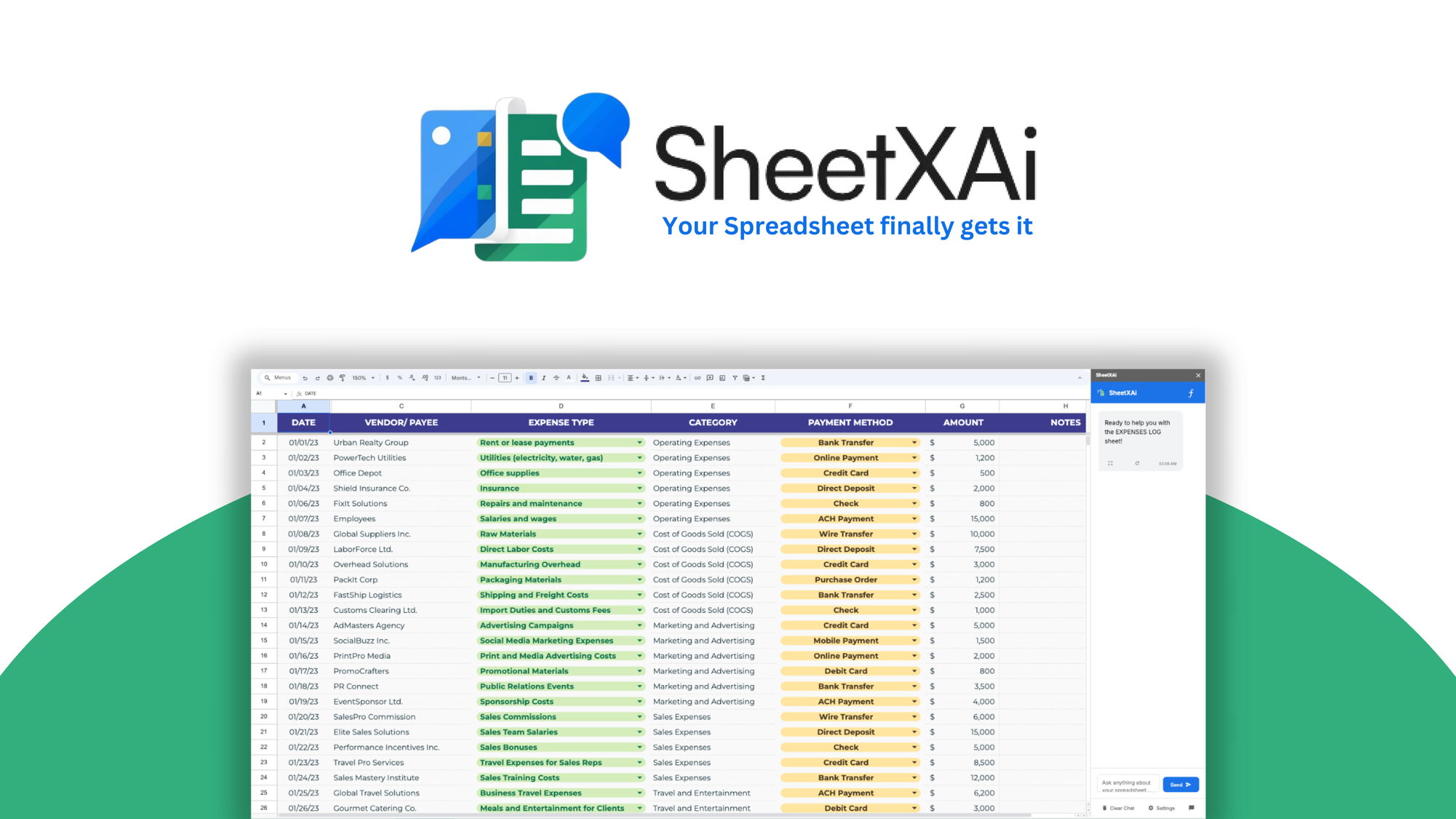
Spreadsheets are where most small businesses live, and they are also where hours quietly disappear. Every week you clean the same columns, look up the same formulas, and paste the same data between tabs. SheetXAI attacks that time sink by putting an AI assistant inside Excel and Google Sheets, so you can type what you need in plain English and let the tool handle the rest.
This SheetXAI review covers how the add-on works, its main features, the credit system, and the current AppSumo lifetime deal. I also break down the pros and cons, who should buy it, who should skip it, and how it compares with native tools like Gemini and Copilot plus dedicated spreadsheet AI apps. Every fact comes from the official SheetXAI website and the AppSumo listing, so nothing here is guesswork.
Key Takeaways
- SheetXAI is an AI add-on for Excel and Google Sheets that turns plain English commands into real spreadsheet actions: cleaning data, building reports, extracting documents, and generating content in bulk.
- The AppSumo deal starts at $39 for lifetime access, with four tiers up to $299 for 25 licenses and an optional $29 Excel AI Agent add-on.
- You bring your own AI key (BYOK). SheetXAI routes through an LLM gateway with 30+ models, so model usage is billed to your OpenAI, Anthropic, or Google account, not through AppSumo.
- It is highly rated: 4.9 out of 5 from 63 AppSumo reviews. Buyers praise time savings and the founder’s direct support, while a few mention setup friction and a learning curve.
- Best for freelancers, agencies, and small teams who live in spreadsheets daily. It is overkill if you only open Google Sheets a few times a month.
What Is SheetXAI?
SheetXAI is a spreadsheet AI assistant that launched in February 2025. It comes from founder and CEO David De Souza, a bootstrapped team of 1 to 10 people based in Claremont, California. The tool installs as an add-on inside Google Sheets and Microsoft Excel. Once active, a sidebar lets you type ordinary sentences like “split this column into first and last name” or “find duplicate contacts and merge them,” and the add-on writes the formulas or performs the steps for you.
What makes it different from asking ChatGPT the same question is that SheetXAI operates directly on your sheet. It reads the cells you select, applies changes in place, and keeps the results inside your existing workbook. It also goes past text: it can pull data from a scanned invoice into rows, generate product descriptions column by column, and connect to more than 500 business apps through built-in integrations. On AppSumo it is positioned as an alternative to doing everything manually, and the vendor’s site compares it with lighter built-in options plus tools like Numerous.ai and SheetAI.
Key Features
Plain English Spreadsheet Automation
This is the core of the product. You highlight a range of cells, describe the outcome, and SheetXAI executes it. Real examples from the listing include:
- Cleaning and formatting: remove blanks, split columns, fix inconsistent values, and standardize dates.
- Analysis: calculate growth, match emails across lists, filter rows, and find or merge duplicate contacts.
- Outputs: create charts, summaries, and reports without touching the formula bar.
For anyone who has ever Googled “VLOOKUP syntax” at midnight, this removes the biggest barrier to spreadsheet work. Non-technical operators and marketers get the most value here. The honest limit: complex multi-sheet model building still benefits from a human checking the logic, and very large workbooks run slower than simple ones.
Turn Documents Into Clean Spreadsheet Data
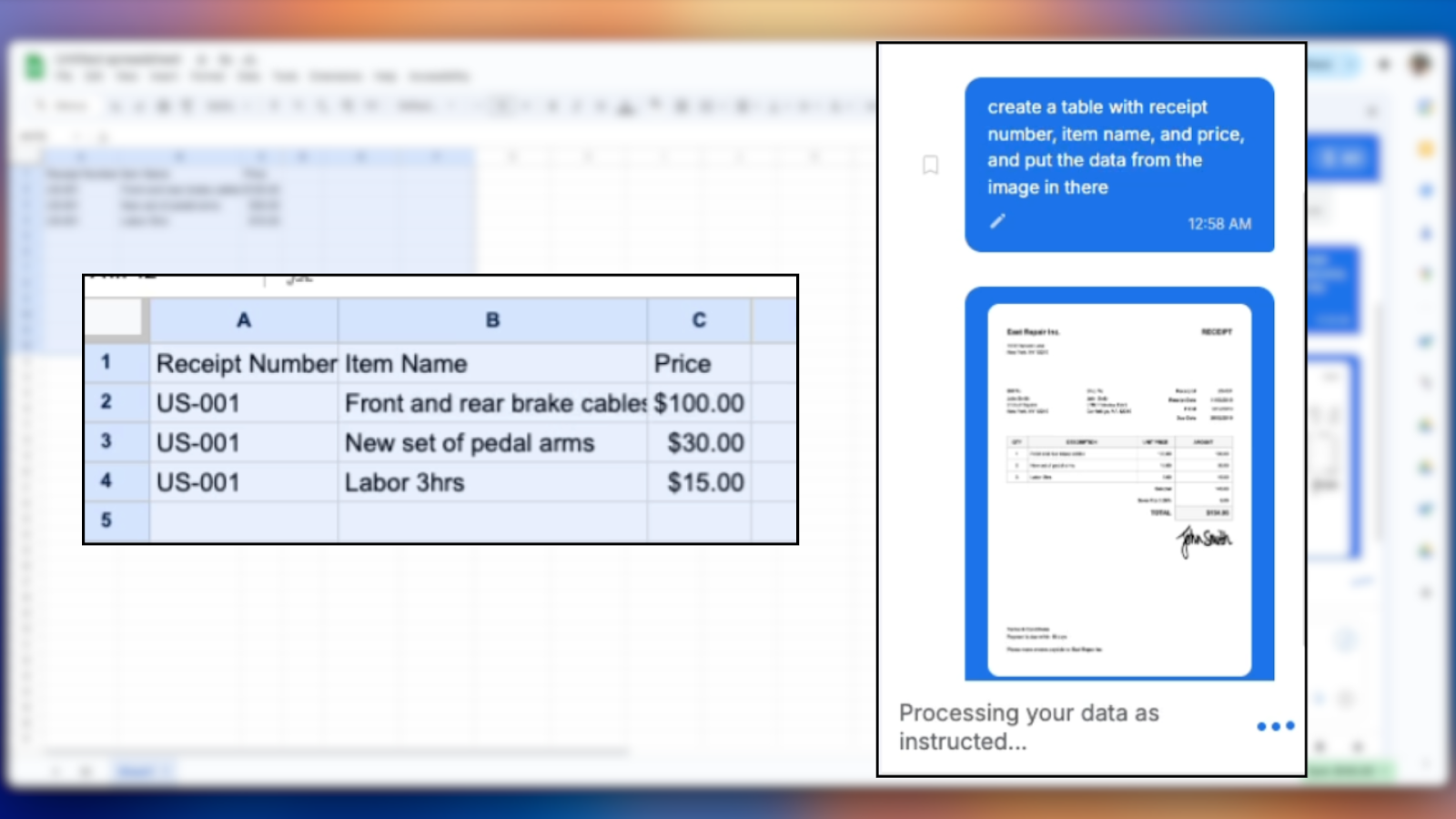
You can upload PDFs, photos, scanned invoices, receipts, handwritten forms, or contracts, and SheetXAI extracts the key fields into organized rows and columns. The listing highlights expense reports, client forms, research materials, and contracts as natural use cases. The output lands directly in your sheet, which is convenient when you are already working there. This overlaps with dedicated OCR and document parsing tools, and if parsing is your main workflow, our DigiParser review covers a specialist built for that job.
Bulk Content Generation in Cells
SheetXAI writes directly into cells, so you can generate product descriptions, SEO meta tags, personalized emails, research summaries, and company profiles at scale. It can also create images, videos, and audio for every row of data. One buyer quoted on the site rewrote descriptions for 500 products in under a minute. Quality depends on your prompt and the model you connect, so results vary, but the throughput is real because everything stays inside the spreadsheet workspace.
Integrations and Outreach Tools
The add-on connects to 500+ apps, among them HubSpot, Google Analytics, Shopify, Salesforce, Notion, Stripe, Jira, and Mailchimp. It also bundles email tooling: verify emails with Hunter or Lusha, enrich leads, and launch outreach through Instantly or Lemlist without leaving your sheet. Recent updates added a Ghost integration for publishing blog posts, a social scheduling integration covering 13+ platforms, and expanded WooCommerce import and update flows. The founder says the roadmap is edging toward n8n-style automation. If full workflow automation matters more to you than spreadsheets, our TaskMagic review looks at a dedicated automation builder.
AI Web Search and the LLM Gateway
SheetXAI can run web searches as part of a request, and it routes model calls through its LLM Gateway with 30+ models, including GPT-5, Claude 4.x, Gemini 3.x, DeepSeek, Grok, and Perplexity. One API key unlocks the whole list, and access is included in the lifetime deal. Keep in mind the BYOK model: you connect your own key and pay your model provider directly for usage. A 2026 update added background processing, so long jobs finish even after you close the sidebar, and you get an email when they are done.
Pros and Cons
Strong Points
- Works in both Google Sheets and Excel with a single license.
- Removes the need for formula knowledge in most everyday tasks.
- Handles bulk operations: content, images, video, audio, scraping, and image analysis.
- Large integrations catalog with background processing for long jobs.
- 4.9 out of 5 from 63 AppSumo reviews, with notably responsive founder support.
- 60 day money-back guarantee on the lifetime deal.
Weak Points
- BYOK setup means separate AI spend on top of the purchase price.
- The credit system adds a cost layer: light operations, heavy operations, and per row content all burn credits differently.
- The Excel AI Agent costs an extra $29 on any tier, and Excel access is the newer, less mature side of the product.
- Some buyers reported setup friction and an early learning curve.
- Data leaves your sheet through the model provider you connect, which matters for sensitive data.

Pricing and AppSumo Deal
The current SheetXAI AppSumo deal grants lifetime access to the Custom plan across four tiers. You activate your license within 60 days of purchase, and every tier is covered by the 60 day money-back guarantee. The deal is for brand new users only, so previous SheetXAI customers cannot stack it.
| Feature | Tier 1 | Tier 2 | Tier 3 | Tier 4 |
|---|---|---|---|---|
| Price | $39 | $149 | $199 | $299 |
| List value | $180 | $540 | $900 | $4,500 |
| Licenses | 1 | 3 | 5 | 25 |
| Bulk content, image, video, audio generation | Included | Included | Included | Included |
| Bulk scraping, image analysis, upscaling | Included | Included | Included | Included |
| Convert documents to sheets | Included | Included | Included | Included |
| Advanced analytics, AI web search, integrations | Included | Included | Included | Included |
| 100+ LLMs for media creation (BYOK) | Included | Included | Included | Included |
| Excel AI Agent add-on | +$29 | +$29 | +$29 | +$29 |
| One-time credit pack (5,000 units) | $59 | $59 | $59 | $59 |
Every tier includes natural language commands, bulk operations, content generation, and the LLM gateway. All tiers require BYOK, meaning you supply the API key that powers the model. Optional one-time credit packs of 5,000 units cost $59 each, up to 50,000 total, and are non-refundable. To get a sense of consumption, a light operation runs about 10 credits, a heavy operation about 50, and content generation about 2 credits per row. One operation charges once even if it touches a million rows, and analysis is flat fee rather than per row. You can check the current SheetXAI offer on AppSumo for the latest numbers.
Who Is It Best For?
Good Fit
- Freelancers and solo operators who manage client data in spreadsheets.
- Marketing agencies producing bulk copy, research, and reports for many clients.
- Small ecommerce teams handling product descriptions, catalog images, and store data.
- Operations and admin staff who clean, merge, and reformat data every week.
- Anyone comfortable connecting an API key and paying model providers directly.
Look Elsewhere
- Teams that rarely open spreadsheets and would not use the depth.
- Users who want a zero setup experience with no separate AI billing.
- Organizations with strict data policies, since data passes through the connected model provider.
- Heavy Excel power users who need flawless Excel parity today; the Google Sheets side is the more mature one.
Is SheetXAI Worth It?
For spreadsheet-heavy operators, yes. At $39 lifetime, the deal pays for itself if SheetXAI saves you a few hours in a single month. The product is genuinely capable where it matters most: natural language automation inside live sheets, document extraction into rows, bulk content production, and a very large integrations catalog. The 4.9 rating across 63 reviews, with a responsive founder who ships weekly updates, adds real confidence for a small bootstrapped tool.
The trade-offs are clear before you buy. The BYOK requirement means you carry separate model costs, the credit system takes a few minutes to understand, and the Excel add-on is newer and costs extra. If that setup is fine for you and you live in spreadsheets, this is one of the stronger productivity deals currently on AppSumo.
Alternatives
Google Gemini in Sheets and Microsoft Copilot
Both platforms now ship native AI assistants inside their spreadsheet apps. They are simple, safe, and often bundled with existing plans. The limits: they are weaker at bulk multi-sheet operations, cross-platform workflows, media generation, and deep integrations. SheetXAI’s own FAQ names these gaps. For occasional assistance, native is fine; for automation at scale, SheetXAI goes further.
Numerous.ai
Numerous.ai is a GPT powered add-on for Excel and Google Sheets with a credit based model and a smaller feature set. The vendor publishes a comparison claiming SheetXAI offers more media generation, more integrations, and document processing in addition to formulas and content. On paper SheetXAI looks broader, though Numerous.ai has been around longer and has its own loyal user base.
SheetAI
SheetAI is another Google Sheets add-on that focuses on text generation and formulas. It is a solid lightweight pick if you only want content and formula help. It does not promise the same range of bulk operations, scraping, image and video generation, or the 500+ app integrations that SheetXAI lists.
Airtable
Airtable is a database first platform rather than a spreadsheet add-on. If your goal is building structured apps with linked records, views, and automations, it is the better foundation, though it costs more and takes time to learn. If your data already lives in Excel or Google Sheets and you just want AI help inside those files, SheetXAI is the closer fit.
Final Verdict
The main reason to buy SheetXAI is the combination of depth and price. At $39 lifetime you get a spreadsheet AI that automates, extracts, generates, and integrates, with a strong review record and an active founder behind it. The main reason to skip it is the BYOK setup. If managing an API key and separate model billing feels like too much friction, a native assistant or a simpler add-on will cause you less overhead.
FAQ
What is SheetXAI and how does it work?
SheetXAI is an AI add-on for Excel and Google Sheets. You install it from the Google Workspace Marketplace or Microsoft AppSource, open it from the Extensions menu, and type requests in plain English. The tool reads the cells you highlight, performs the task, and writes results back into your sheet.
How much does the SheetXAI AppSumo deal cost?
The lifetime deal has four tiers: $39 for 1 license, $149 for 3, $199 for 5, and $299 for 25. The Excel AI Agent is a $29 add-on on any tier, and optional credit packs of 5,000 units are $59. There is a 60 day refund window and you must activate within 60 days.
Do I need my own API key with SheetXAI?
Yes. SheetXAI uses a bring your own key model. You connect an API key from a supported provider, such as OpenAI, Anthropic, or Google, and you pay that provider for model usage. The LLM gateway gives access to 30+ models through that single key, and it is included in the lifetime deal.
Does SheetXAI work in Excel and Google Sheets?
Yes, one license covers both apps. The Google Sheets version is the most mature, while the Excel add-on is available through Microsoft AppSource and carries a 5.0 rating from a small number of reviews. The founder documented and fixed early Excel cell editing bugs in a February 2026 update.
Is SheetXAI safe to use with my data?
The vendor says the add-on uses secure OAuth authentication and only accesses data while you are actively using it. Keep in mind that requests are processed by the AI model provider you connect, so sensitive data leaves your sheet during processing. Check both the SheetXAI and provider privacy policies for anything confidential.
What can SheetXAI do for ecommerce businesses?
Common uses are writing product descriptions and SEO meta tags in bulk, generating images for listings, cleaning inventory exports, and working with store data through WooCommerce and Shopify integrations. You can import, update, and filter product records from inside your spreadsheet.
SheetXAI review disclosure: this article contains affiliate links. If you buy through the official SheetXAI website or the AppSumo links above, the site may earn a commission at no extra cost to you. Facts and prices were checked on the day of writing.