Setting up payments on WordPress usually means installing WooCommerce, configuring dozens of settings, and running a full storefront just to sell one product. WPSmartPay takes the opposite approach. This plugin lets you accept one-time payments, subscriptions, and donations with simple forms, no shopping cart required. Connect a gateway like Stripe or PayPal, drop a form on any page, and you are ready to get paid. In this WPSmartPay review, I look at the feature set, the current AppSumo lifetime deal, the pricing tiers, and the honest downsides, so you can decide if it fits your site.
Key Takeaways
- No shopping cart needed. WPSmartPay builds payment forms directly in Gutenberg, so you can sell without a product catalog or checkout page.
- Three payment types in one plugin: one-time purchases, recurring subscriptions, and donation campaigns.
- AppSumo lifetime deal: Tier 1 costs $59, Tier 2 costs $99, and Tier 3 costs $199, each covering a different number of sites.
- Agentic AI is included: SmartPay 3.0 can build and manage payment flows from Claude, ChatGPT, Codex, or Cursor via its MCP server and CLI.
- Solid but young: the plugin is rated 4.7/5 on WordPress.org, while the AppSumo listing has only 4 reviews so far.
What Is WPSmartPay?
WPSmartPay is a WordPress payment plugin built by WP SmartPay, a bootstrapped team in Bangladesh founded in June 2020. It is designed to work standalone. You connect a payment gateway, place a payment form on any page using Gutenberg blocks or shortcodes, and start collecting money. There is no product catalog, no cart, and no checkout page to manage. The plugin handles the payment flow itself, then delivers digital files, logs the transaction, and sends receipts.
The 3.0 version redesigned the admin interface, added a reporting engine, a new invoice system, a refreshed form builder, and more gateways such as Authorize.net, Paytm, and Razorpay. It also introduced an AI and MCP layer, so you can build and manage forms from an agent like Claude or ChatGPT. AppSumo positions it as an alternative to Gumroad, but the plugin works best as a self-managed checkout for consultants, developers, and nonprofits that already run WordPress.
Key Features
No-Code Gutenberg Form Builder
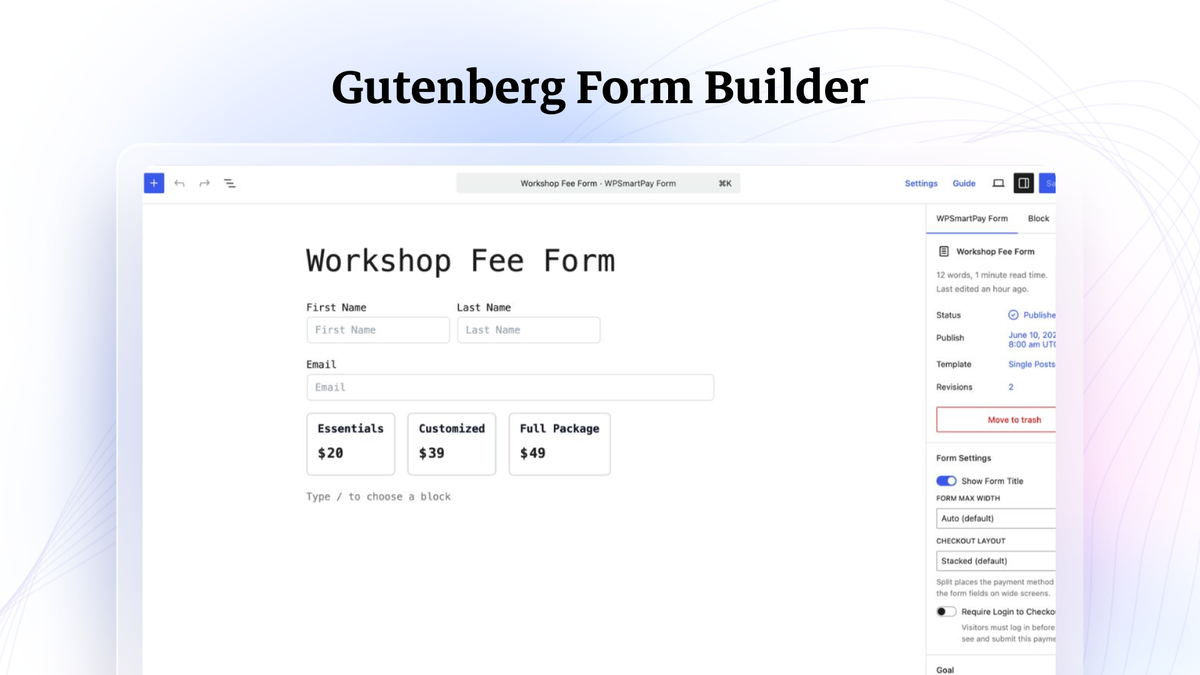
Every payment starts as a form you build with drag-and-drop blocks. Add text fields, dropdowns, checkboxes, and amount fields without touching code. The free version already includes a usable form builder, and the Pro plans keep the same editor. This matters most for non-technical site owners who want a checkout that matches their page design instead of a forced storefront template. If you are comparing Gutenberg-native form tools, our Dashform review covers an AI form builder with a different focus.
One-Time, Recurring, and Donation Payments
The plugin covers the three main ways to collect money. Sell a digital file with a single payment, bill customers on a daily, weekly, monthly, or yearly cycle, or run a donation campaign with a goal and suggested amounts. Subscriptions support trial periods and setup fees, and donors can choose to give once or on a recurring schedule. That flexibility removes the need to stack separate plugins for memberships, store, and fundraising.
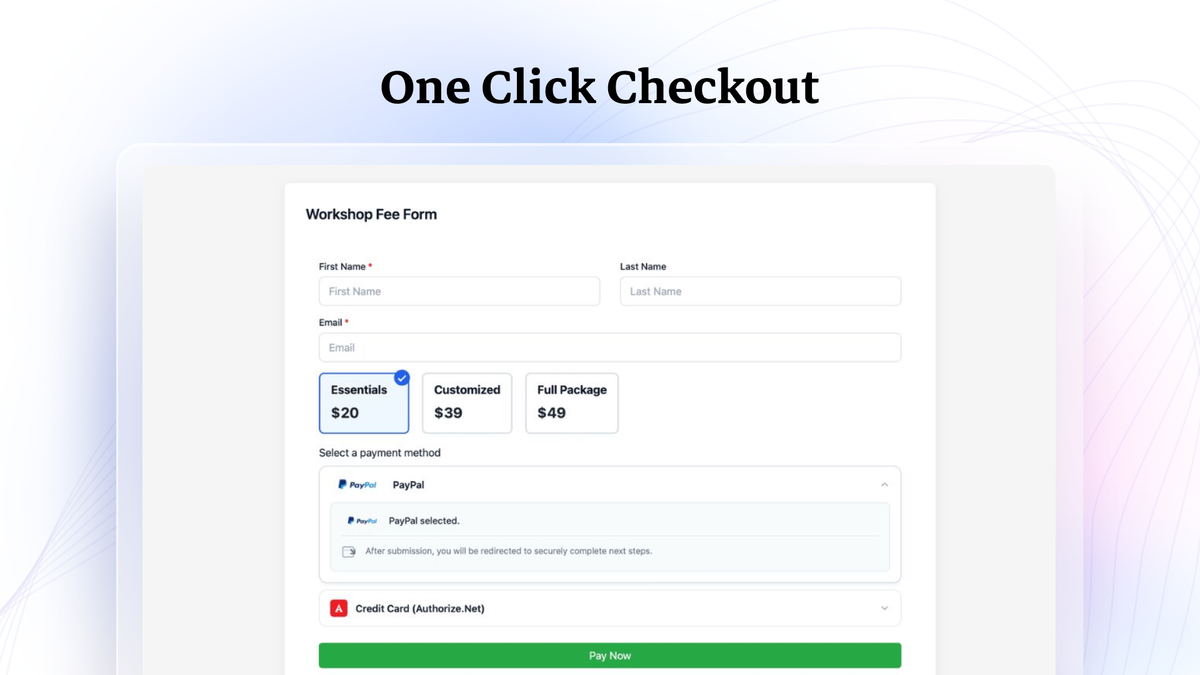
One-Click Checkout
Instead of a multi-step cart, buyers pick a plan and pay in seconds. You can embed the checkout directly into any page or open it as an overlay. This shorter funnel tends to convert better for single products and services, and it keeps visitors on your site instead of redirecting them to a third-party checkout page.
Bring Your Own Payment Gateway
WPSmartPay does not force its own processor. You connect Stripe, PayPal, Paddle, Mollie, Razorpay, Authorize.net, Paytm, or bKash, which means payments go straight to your own account and you keep your existing fee structure. The official site lists 14 or more payment methods and 157 or more supported currencies. Everything sensitive runs through your gateway’s PCI-compliant checkout, so card data never touches your server.
Revenue Dashboard and Reporting
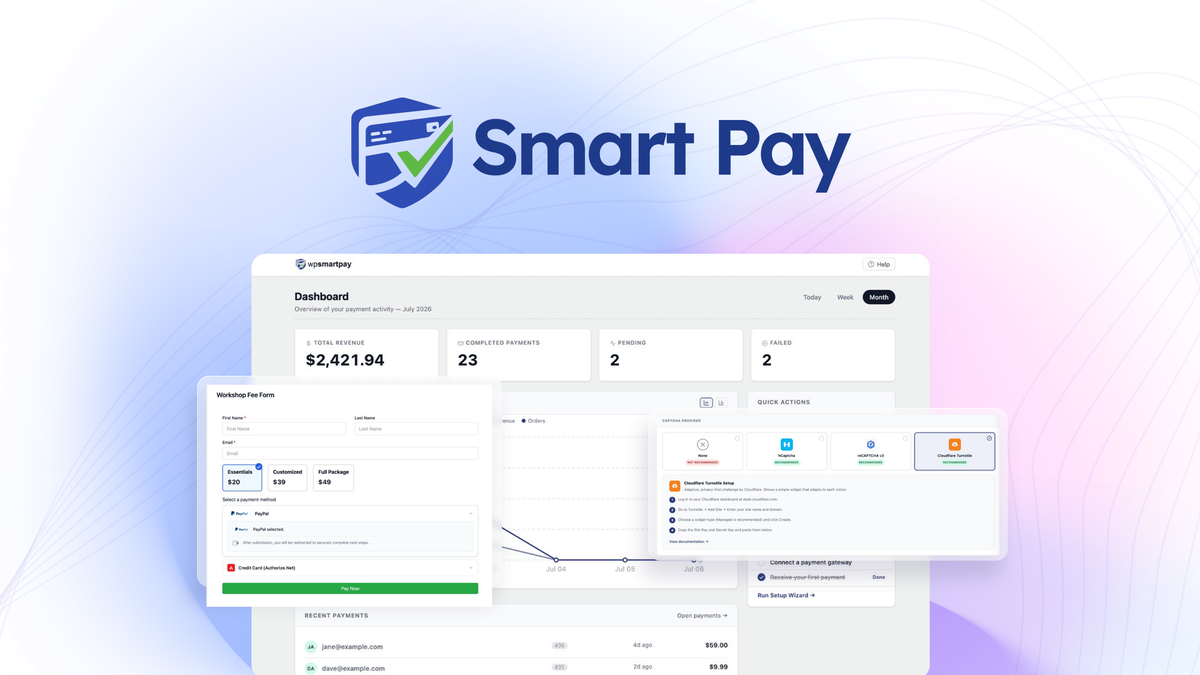
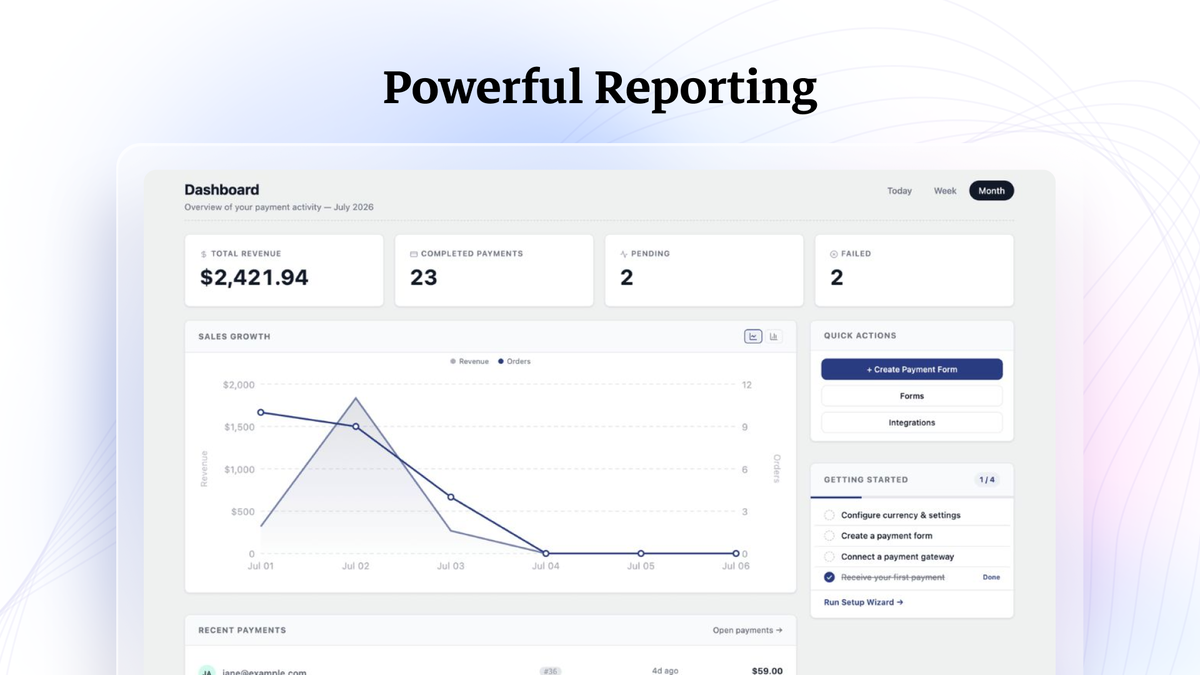
The dashboard shows total revenue, completed payments, and active subscriptions at a glance, with day-wise sales charts. The 3.0 reporting engine added deeper analytics across products and forms. For small sellers this replaces manual spreadsheet tracking, though it is not as deep as a dedicated analytics tool from Stripe or Paddle.
Invoices, Coupons, and Customer Management
You can generate PDF invoices, track subscriptions, and manage customers from one screen. Coupon support includes percentage and flat-amount discounts with expiration dates, usage limits, and form-specific restrictions, plus bulk generation of unique codes on Pro plans. Every customer also gets a self-service portal where they can update their card, pause, cancel, or change their plan without emailing you.
Digital Product Delivery
WPSmartPay can deliver digital goods right after payment. Supported formats include PDF, MOBI, MOV, MKV, AVI, 3GP, MP4, PSD, AI, PNG, and JPG, which covers eBooks, audio tracks, photo packs, design files, and video courses. If you sell physical products or need shipping, this is the wrong tool, but for downloads it works well.
Integrations and Agentic AI
You can trigger Zapier workflows, ping Slack or Telegram, send SMS via Twilio, sync donors to Mailchimp, FluentCRM, or ActiveCampaign, and push data to Google Sheets. It also connects to LearnDash, Tutor LMS, and AffiliateWP. The standout addition is the MCP server and CLI: with SmartPay 3.0, you can tell Claude, ChatGPT, Codex, or Cursor to build and manage a campaign from a prompt, which is still rare among WordPress payment plugins.
Pros and Cons
What I Like
- True no-cart payments. Simpler and faster than WooCommerce for selling a single product or service.
- All core payment types (one-time, subscription, donation) in one installation.
- Clean Gutenberg builder with shortcode support for classic editors.
- You keep your gateway and the fees you already negotiated.
- Agentic AI integration is ahead of most competing plugins.
- AppSumo deal covers all future plan updates and comes with a 60-day refund window.
What Could Be Better
- Young AppSumo deal: only 4 reviews so far, so long-term support is unproven.
- Free version is limited to PayPal and a manual gateway; Stripe and subscriptions require a paid plan.
- No built-in email marketing; campaigns depend on external integrations.
- Not for physical products: no shipping, inventory, or warehouse features.
- Mixed third-party signals: the company’s Trustpilot page shows a low average score, so it pays to read recent feedback before buying.
Pricing and AppSumo Deal
On the official site, WPSmartPay sells annual plans: Essential at $99 per year for 1 site, Business at $149 per year for 5 sites, and Agency at $279 per year for 50 sites. Every Pro plan includes a 14-day money-back guarantee. The WPSmartPay AppSumo deal turns that into a one-time payment for lifetime access, and the 60-day refund window from AppSumo is more generous than the official guarantee.
| AppSumo Tier | Price | Regular Price | Sites | Key Details |
|---|---|---|---|---|
| License Tier 1 | $59 | $119 | 1 | Lifetime access, all features, email support |
| License Tier 2 | $99 | $199 | 5 | Lifetime access, all features, most popular tier |
| License Tier 3 | $199 | $399 | 50 | Lifetime access, all features, best for agencies |
All three tiers include unlimited products, unlimited payment forms, embedded and overlay forms, the Gutenberg form builder, recurring billing, the invoice and subscription manager, anti-spam controls, email templates, custom amounts, integrations, CRM connections, donation collection, event registration forms, and the member dashboard. The deal started on August 31, 2026, and at the time of writing it shows no public countdown timer. You get all future Essential, Business, and Agency plan updates, and you must activate your license within 60 days of purchase.
Who Is It Best For?
Good Fit
- Consultants and freelancers who bill for services or sell digital downloads without a full storefront.
- Nonprofits running donation campaigns with goals, suggested amounts, and recurring giving.
- Course creators using LearnDash or Tutor LMS who want clean payment forms instead of a cart.
- Developers and agencies building client sites who need payments without WooCommerce overhead.
Look Elsewhere If
- You sell physical products and need shipping, inventory, or warehouse management.
- You want a fully hosted checkout like Gumroad or Lemon Squeezy with zero server setup.
- You need advanced email marketing built into the payment tool itself.
- You prefer products with a long track record and hundreds of public reviews.
Is WPSmartPay Worth It?
For a WordPress site that sells a digital product, a service, or a membership, WPSmartPay removes the heaviest part of the stack. You do not need WooCommerce, a separate donation plugin, or a third-party form-to-payment bridge. The form builder is genuinely code-free, the gateway choice gives you control over fees, and the agentic AI angle is a differentiator you will not find in most competitors. The main risk is the deal’s age: four AppSumo reviews is a thin base to judge long-term support, and the company’s third-party review history is mixed. The 60-day refund window covers that risk, so testing it on a live form costs you nothing if it does not work out. For consultants, nonprofits, and agencies with one to three WordPress sites, I think the value is clear at the $59 or $99 tier. If you want a similar all-in-one look at running a web business, our Hostinger Bundle review is a useful comparison point.
Alternatives
Gumroad
Gumroad is a hosted platform for selling digital products with a ready-made storefront, and AppSumo lists WPSmartPay as its alternative. Gumroad is faster to start because there is nothing to install, but it takes a cut of every sale and keeps your audience on its domain. WPSmartPay keeps everything on your WordPress site and routes payments through your own gateway, at the cost of more setup work.
WooCommerce
WooCommerce is the obvious choice when you need a product catalog, variable products, shipping, and extensions. That power comes with complexity: dozens of settings, frequent plugin conflicts, and slower pages for simple use cases. If you only sell one or two items, WPSmartPay is a fraction of the overhead. If you plan to grow into a full store, WooCommerce stays the more scalable path.
GiveWP
GiveWP focuses entirely on donations and is excellent for nonprofits that want advanced fundraising features like donor walls and multi-level campaigns. WPSmartPay covers donations plus one-time sales and subscriptions in the same plugin. If donations are your only need and you want maximum depth, GiveWP deserves a look; if you also sell products or courses, WPSmartPay avoids paying for two tools.
Paymattic
Paymattic sits in the same niche: WordPress payment forms with one-time, recurring, and donation options through Stripe and PayPal. It is a mature plugin with a large user base and a long AppSumo history. WPSmartPay counters with a wider gateway list, PDF invoices, digital file delivery, and the agentic AI integration. For most buyers the choice comes down to ecosystem versus gateway flexibility.
Final Verdict
Buy WPSmartPay if you run a WordPress site and want to accept one-time payments, subscriptions, or donations without the weight of a shopping cart, and you like the idea of managing campaigns from an AI agent. Skip it if you need a full ecommerce store with shipping and inventory, or if you are not comfortable betting on a plugin whose AppSumo deal is still young. For everyone in the middle, the lifetime access and 60-day guarantee make it a low-risk upgrade to your checkout.
Frequently Asked Questions
Is WPSmartPay a good WooCommerce alternative?
For simple payments like selling a digital product, a service, a subscription, or a donation, yes. WPSmartPay removes the cart and lets you accept payments straight from a form. If you need physical product shipping, inventory, or a full catalog, WooCommerce remains the better fit.
Which payment gateways does WPSmartPay support?
It supports Stripe, PayPal, Paddle, Mollie, Razorpay, Authorize.net, Paytm, and bKash, among others. The official site lists 14 or more payment methods and 157 or more currencies. Your gateway processes the transaction through its own PCI-compliant checkout.
What does the WPSmartPay AppSumo deal include?
The deal is a lifetime purchase starting at $59 for 1 site, $99 for 5 sites, or $199 for 50 sites. Every tier includes all features, all future plan updates, and a 60-day money-back guarantee from AppSumo.
Do I need coding skills to use WPSmartPay?
No. Payment forms are built with drag-and-drop Gutenberg blocks, and the official site says a basic setup takes around five minutes once the plugin is installed. Shortcodes are available if you prefer the classic editor.
Can WPSmartPay handle subscriptions and donations?
Yes. You can set up daily, weekly, monthly, or yearly subscriptions with trial periods and setup fees, and you can run donation campaigns with goals, suggested amounts, and recurring giving. Donors get a self-service portal to manage their plans.
Is there a free version of WPSmartPay?
Yes, on WordPress.org. The free version includes PayPal, a manual gateway, payment forms, donations, invoices, and coupons with no time limit and no platform fees. Pro plans unlock Stripe, Mollie, Razorpay, Paddle, subscriptions, analytics, and bulk coupon generation.