SocialBu is an all-in-one social media management platform that lets you schedule, publish, listen, automate, and analyze across more than a dozen networks from a single dashboard. If you have ever juggled five browser tabs just to put out one post, you already know the problem it solves.
In this SocialBu review, I break down how the tool works, walk through its key features with the practical benefits and limits, and dig into the current AppSumo lifetime deal. I also compare it with alternatives I have tested so you can decide whether it deserves a place in your stack in 2026.
Key Takeaways
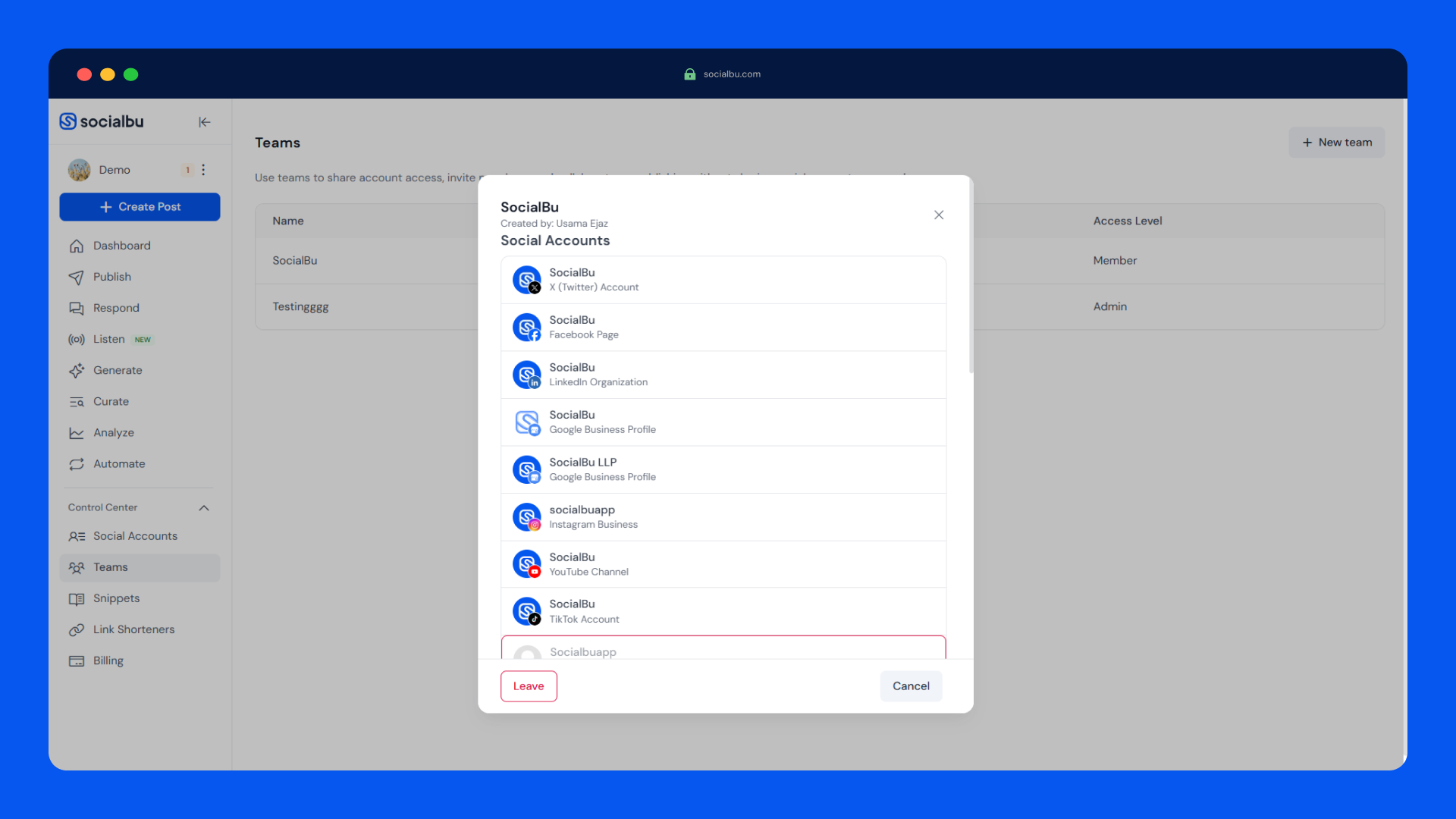
- Covers 12+ networks including LinkedIn, Instagram, TikTok, Facebook, X, YouTube, Reddit, Pinterest, Google Business Profile, Bluesky, Threads, and Mastodon.
- Combines scheduling, bulk import, evergreen content recycling, social listening, automations, and analytics in one tool.
- AI writer, caption and image generators, plus an MCP server that lets Claude, ChatGPT, and Cursor work inside the platform.
- AppSumo lifetime deal runs $49, $109, and $279 one-time, versus official plans from $29 to $199 per month.
- Automations and the social inbox only unlock from Tier 2, so choose your tier with care.
What Is SocialBu?
SocialBu is a social media manager built for creators, small businesses, and agencies that want to run multiple accounts without paying for three or four separate subscriptions. The core promise is simple: compose once, publish everywhere, then measure what lands.
The platform grew out of the founders’ frustration with hopping between scheduling tools and manual reporting. They built a unified workspace that combines publishing, an inbox, analytics, automations, and team collaboration under one roof. You reach it from the web, a Chrome extension, iOS, or Android, so the workflow travels with you.
What makes SocialBu different today is the breadth in one package. Few tools at this price point give you social listening, an automation builder with webhooks, an AI assistant via MCP, and client workspaces all at once. That does not mean it does everything perfectly, and I cover the limits later, but the scope is genuinely all-in-one.
Key Features
Multi-Platform Scheduling and Publishing
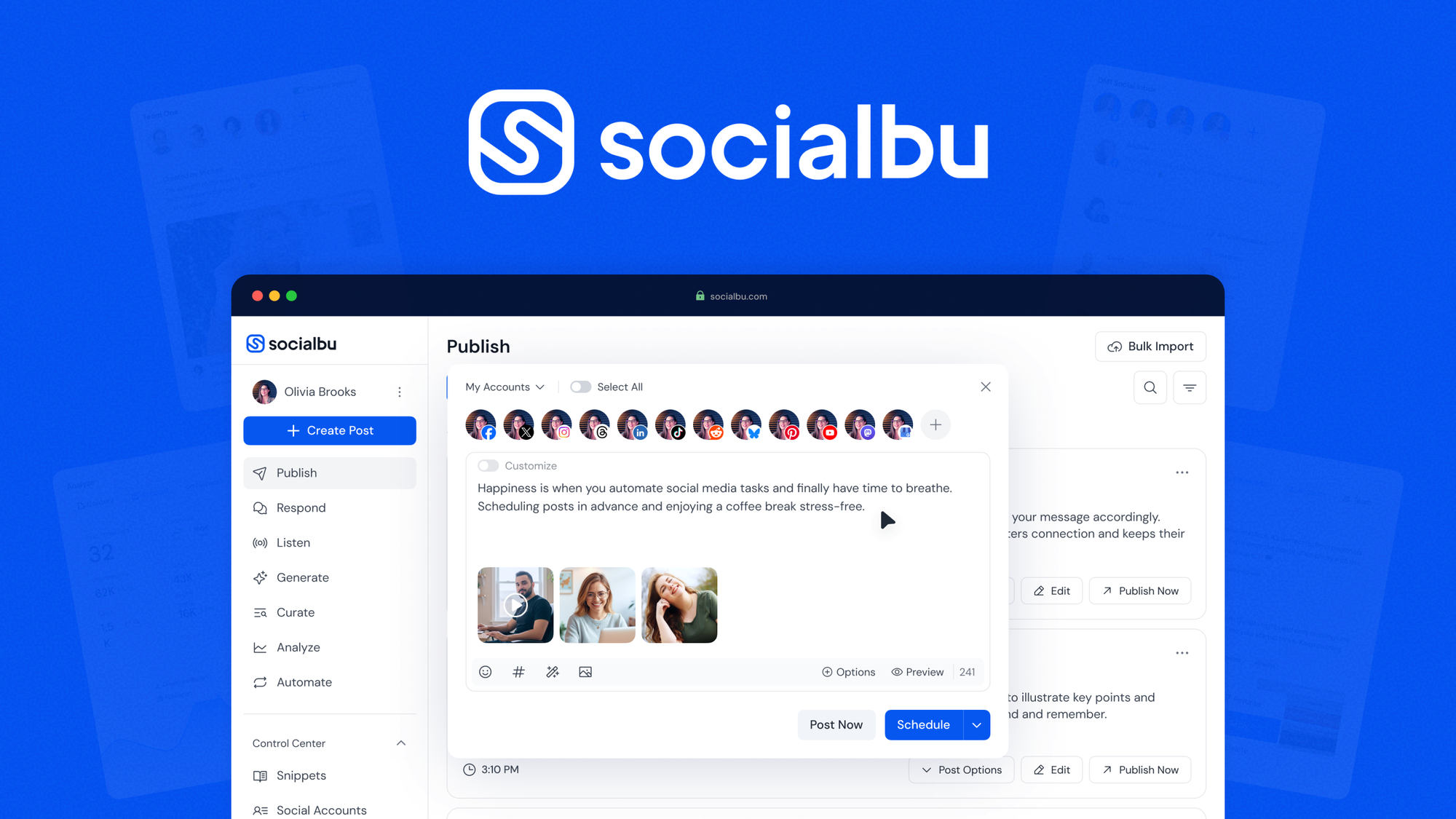
SocialBu supports Facebook, Instagram, X, LinkedIn, YouTube, TikTok, Reddit, Pinterest, Google Business Profile, Bluesky, Threads, and Mastodon. That list is wider than most rivals and includes the newer networks people actually use in 2026. You can compose one post, then write a separate caption for each account, which matters when the same idea fits LinkedIn and TikTok very differently.
Publishing is clean and fast in my testing. You can drop links directly into X posts, schedule Instagram Reels and Stories, build Twitter threads, and add a first comment for LinkedIn or Instagram. Drafts, previews, hashtag suggestions, and a built-in link shortener round out the composer.
Social Calendar and Bulk Import
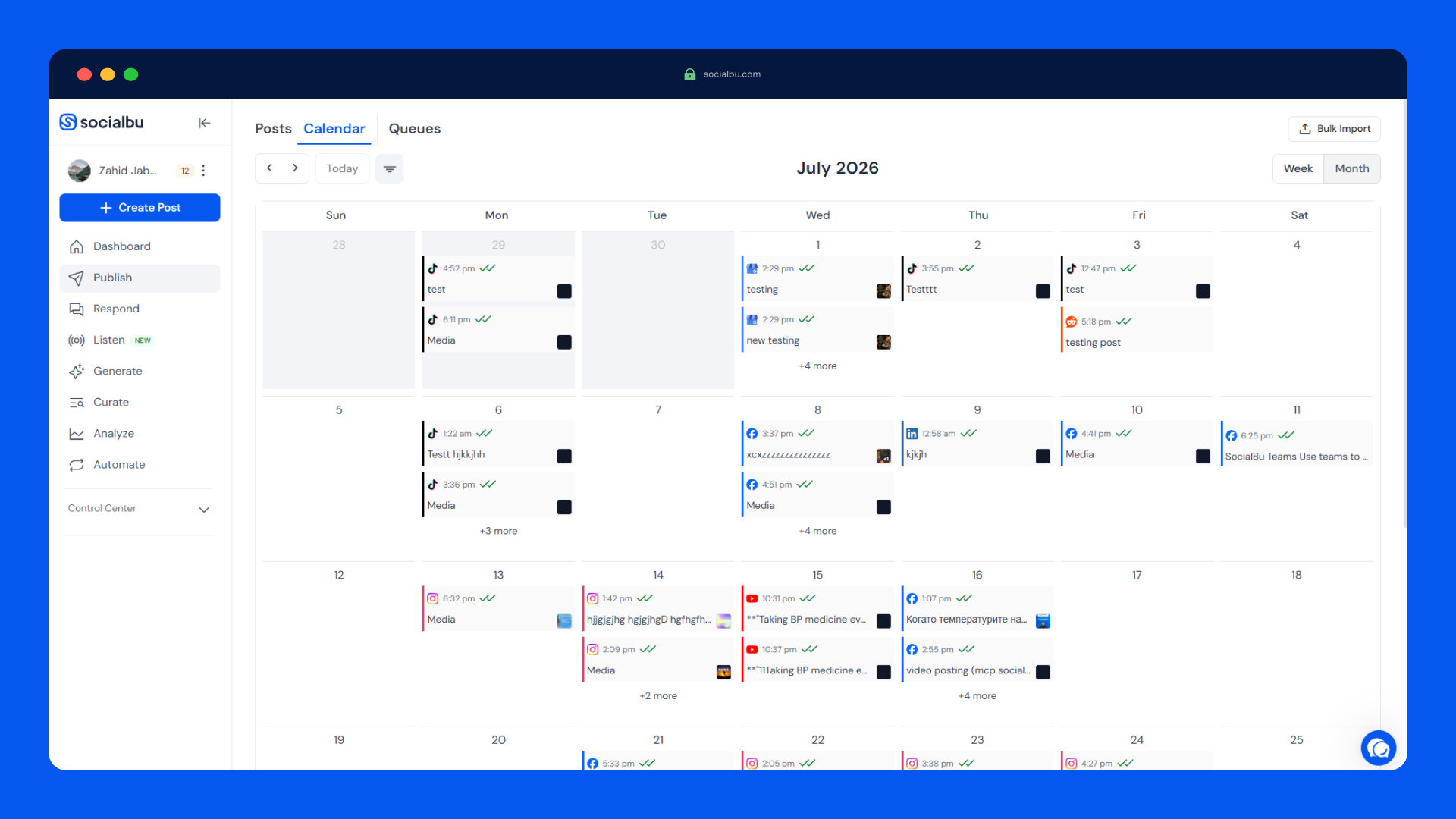
The drag-and-drop calendar gives you a full view of the content pipeline. You can see every scheduled post for every brand, then drag items to new times when plans change. Rescheduling takes seconds instead of going account by account.
Bulk import is a big time saver. Upload a CSV with your posts and SocialBu queues up weeks of content in one pass. For an agency running several clients, that turns a Friday afternoon of manual entry into a single import.
Content Recycling With Custom Queues
Evergreen content is the quiet hero of social media. Instead of letting a good post die after one appearance, the Queue feature adds posts to a repeating schedule. You build a queue, set the repeat pattern, and SocialBu keeps your best content circulating automatically. The deal tiers include 8, 18, or 60 queues depending on the license.
AI Content Tools
SocialBu ships a full AI writing suite. The AI writer generates short posts, X posts, LinkedIn posts, Instagram captions, Facebook posts, YouTube descriptions, Reddit posts, Pinterest descriptions, and Google Business Profile posts. There is also a caption generator, an image generator, autocomplete while you type, and a similar content tool that turns one idea into several posts.
The catch is credits. Every tier gets a monthly allotment of AI writer credits, and heavy batch posters can burn through them quickly, which one AppSumo reviewer flagged. If you lean on AI for everything, budget for that limit.
Social Inbox (Respond 2.0)
Respond 2.0 is a unified inbox for messages and comments across your connected accounts, organized per account or per team. It keeps conversations in one place, so replies do not fall through the cracks when a brand has active comments on several networks. Note that the inbox is included from Tier 2 of the deal, not Tier 1.
Social Listening
Listening is where SocialBu surprised me. You build streams across Reddit, X, TikTok, Threads, Bluesky, Hacker News, and YouTube, then apply AI filtering and sentiment analysis to surface the conversations that matter. Each stream can export to RSS, which is handy for reports or for feeding other tools. Paid plans include 5 to 10 listening streams with 5,000 to 20,000 matched items per month.
Automations
The automation builder handles repetitive workloads: auto-post from RSS feeds, trigger posts on schedules, automate messaging and replies, and connect to other apps with webhook or HTTP actions. Placeholders and dynamic variables keep the output feeling personal. The AppSumo tiers include 30 automations on Tier 2 and 150 on Tier 3. Tier 1 has none.
Analytics and Reporting
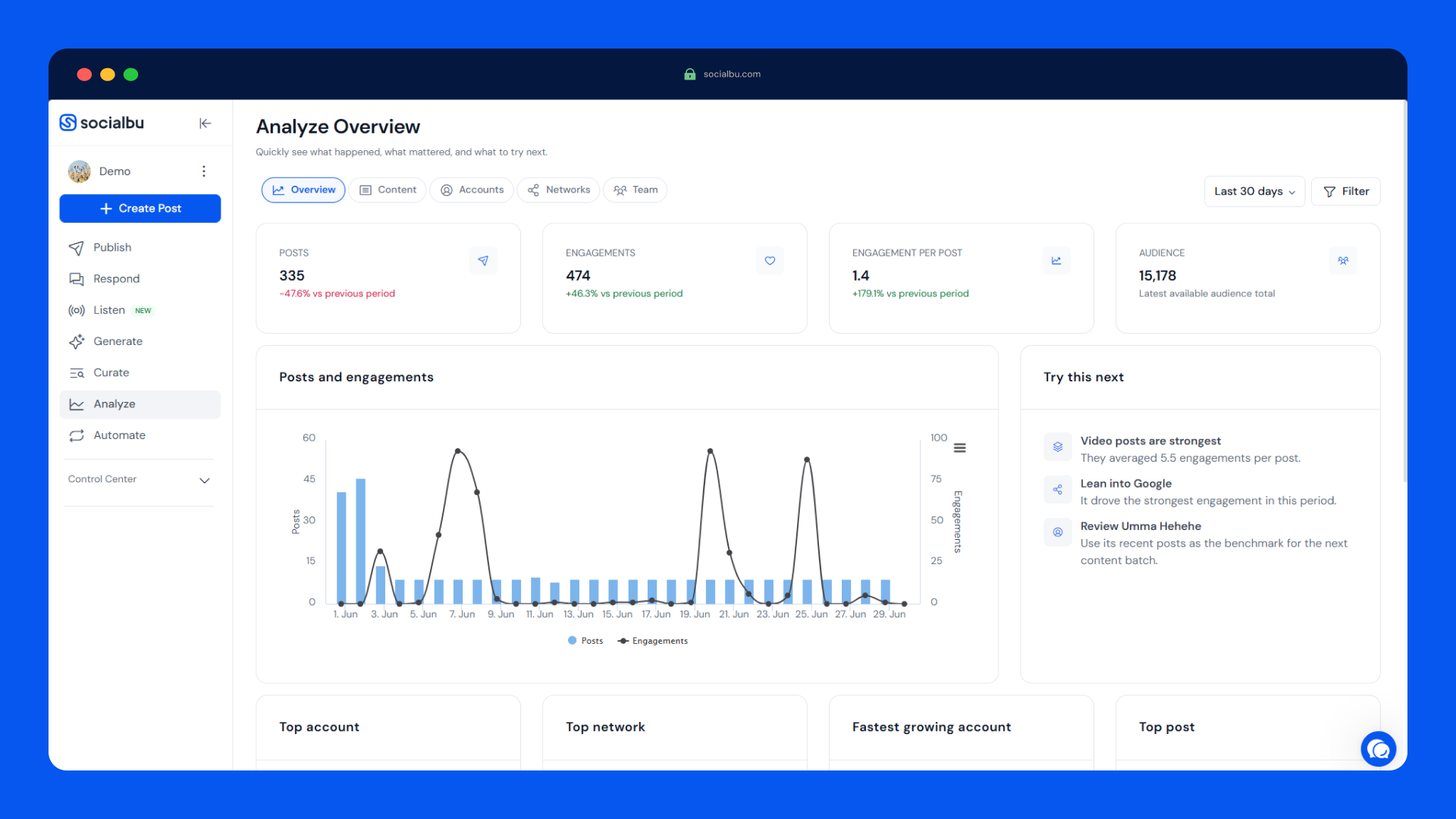
The Analyze section tracks post, account, network, and team performance from one dashboard. You can compare networks to see where engagement actually comes from, spot top performing content, and filter by content type, account, or time period. For agencies, one-click reports turn raw data into client-ready summaries without exporting to a spreadsheet.
Multi-Brand Workspaces and Team Collaboration
You can create separate workspaces for each brand or client, assign roles and permissions, and run content approvals so nothing goes live without sign-off. A Google Drive integration pulls assets straight into posts. Team members can leave notes and collaborate on drafts before publishing, which makes the tool genuinely agency-friendly.
MCP Server for AI Assistants
SocialBu exposes an MCP server at socialbu.com/mcp, which means Claude, ChatGPT, Cursor, and other MCP clients can drive the platform in natural language. You can ask an assistant to draft posts, review schedules, or handle social tasks directly. It is a genuinely fresh angle for an AI-first workflow, and it is included from Tier 2 of the deal.
SocialBu Pros and Cons
Pros
- One dashboard for 12+ platforms, including smaller networks many rivals ignore.
- Strong scheduling workflow with bulk import, a calendar, and recycling queues.
- Automations with webhook and HTTP actions connect easily to other tools.
- Deep social listening with AI filtering and sentiment analysis at this price.
- Multi-brand workspaces, roles, and approvals built for agencies.
- Lifetime deal pricing that can pay for itself in a month or two.
- Responsive support that ships fixes quickly.
Cons
- Automations, the social inbox, and the MCP server are locked to Tier 2 and above.
- Tier 1 has no automations at all, which limits its appeal.
- Tier 3 caps posts at 3,600 per month even with 75 social accounts.
- AI writer credits can run out fast with heavy batch posting.
- No contests, sweepstakes, or deep eCommerce automation.
- Some users want more link shortener integrations, saved Curate searches, and Medium support.
SocialBu Pricing and AppSumo Deal
On SocialBu’s own site, pricing runs from a free plan (3 accounts and 10 lifetime posts) through Starter at $29 per month, Growth at $79 per month, and Agency at $199 per month. Every paid plan starts with a 7-day free trial, and annual billing saves about 25%. The Growth plan, the closest match to the deal’s middle tier, costs $948 over a year.
The AppSumo lifetime deal launched on August 17, 2026, and replaces those monthly bills with a single payment. Pick the tier that fits your volume:
| Feature | Tier 1 ($49) | Tier 2 ($109) | Tier 3 ($279) |
|---|---|---|---|
| Social accounts | 10 | 25 | 75 |
| Posts per month | 600 | 1,200 | 3,600 |
| Custom queues | 8 | 18 | 60 |
| AI writer credits / month | 500 | 1,000 | 2,000 |
| Teams | 1 | 3 | 10 |
| Automations | 0 | 30 | 150 |
| Social inbox | No | Yes | Yes |
| AI + MCP server | No | Yes | Yes |
| Regular value | $190 | $590 | $995 |
All three tiers include lifetime access, all future Standard Plan updates, and the 60-day money-back guarantee. There are no codes and no stacking; you simply choose the plan. You must activate your license within 60 days of purchase, and you can upgrade between tiers while the deal is available or downgrade within 60 days.
For most solo operators and small teams, Tier 2 at $109 is the sweet spot. It unlocks the social inbox, automations, and the MCP server, which are exactly the features that separate SocialBu from basic schedulers. If you only need a handful of accounts and never touch automations, Tier 1 still beats paying monthly. You can check the current SocialBu deal on AppSumo to see live tier details.
Who Is SocialBu Best For?
Good fits
- Social media managers running several accounts or brands at once.
- Creators and influencers who want one place to schedule across networks.
- Small businesses and startups replacing a $79+ per month subscription.
- Agencies and freelancers managing client workspaces with approvals.
- Teams that want social listening and automations without buying four tools.
Who should look elsewhere
- Buyers who will only pay for Tier 1 but expect automations and the social inbox.
- Teams that run contests, sweepstakes, or heavy eCommerce automation.
- Anyone whose posting volume will blow past the monthly caps on their tier.
- Users who need Medium publishing or very specific link shortener integrations.
Is SocialBu Worth It?
Yes for most users, with one honest warning about tier selection. At Tier 2, SocialBu delivers scheduling, recycling, listening, automations, an inbox, and AI features for a one-time $109. The same feature set on the official site costs around $79 per month on the Growth plan, so you would break even in less than two months.
Where it gets sticky is the caps. The AppSumo reviewers I read praised reliability and depth but flagged the post ceiling and the AI credit burn rate. If you batch hundreds of posts for 50-plus accounts, map your real volume against the tier limits before buying.
The 60-day refund takes most of the risk out. My advice is to start at Tier 2, import a real month of content, and see whether the limits cramp your workflow before deciding to keep it.
SocialBu Alternatives
Buffer
Buffer remains the simplest place to schedule posts for a small team. It is polished and reliable, but it is subscription-only and lighter on listening, automations, and AI generation than SocialBu. If you only need clean scheduling, it is a fine pick.
SocialBee
SocialBee leans into content recycling with categories that keep every post cycling. It is a strong fit for solopreneurs who want evergreen systems, but its platform list is smaller and it does not match SocialBu’s listening depth.
Publer
Publer is another budget-friendly publisher with a wide network list and a free tier. It handles scheduling well, yet its automations and analytics are more limited, and the all-in-one scope is narrower than SocialBu’s.
Metricool
Metricool is analytics-first: it schedules while giving you deep performance and ad reporting. If your priority is measuring results rather than managing an inbox or automations, Metricool may serve you better.
Also worth a look on this site: AI social media manager RobinReach takes a different, AI-first approach to posting, while Yorby generates AI UGC videos and viral scripts to feed your content calendar.
Final Verdict
Buy SocialBu if you want one lifetime payment to replace a $79 to $199 per month stack. The breadth is real: publishing, recycling, listening, automation, collaboration, and AI in a single dashboard that agencies can split into client workspaces.
Skip it if you need Tier 2 features but will only budget for Tier 1, or if your posting volume sits close to the hard caps. In that case, a monthly subscription with clearer limits may be the more honest value. For everyone in between, the SocialBu AppSumo deal is one of the better all-in-one options in the current New Arrivals lineup. The official SocialBu website and its pricing page are good places to verify current plan details before you commit.
Frequently Asked Questions
What is SocialBu used for?
SocialBu is a social media management tool for scheduling, publishing, listening, automating, and analyzing content across 12+ networks from one dashboard.
Which platforms does SocialBu support?
It supports Facebook, Instagram, X, LinkedIn, YouTube, TikTok, Reddit, Pinterest, Google Business Profile, Bluesky, Threads, and Mastodon.
What does the SocialBu AppSumo deal include?
The lifetime deal offers three tiers at $49, $109, and $279, with lifetime access, future Standard Plan updates, and a 60-day money-back guarantee. Automations, the social inbox, and the MCP server start at Tier 2.
Is SocialBu Tier 1 or Tier 2 better?
For most buyers, Tier 2 is better value because it unlocks the social inbox, 30 automations, and the AI + MCP server for $109. Tier 1 suits very light users who only schedule a few accounts.
Can I connect AI assistants to SocialBu?
Yes, from Tier 2. SocialBu exposes an MCP server at socialbu.com/mcp that lets Claude, ChatGPT, Cursor, and other MCP clients create posts and review schedules in natural language.
Does SocialBu offer a refund?
The AppSumo deal is covered by a 60-day money-back guarantee, and you can downgrade between tiers within 60 days of purchase.