Consistent LinkedIn posting is one of the most reliable ways for a founder, consultant, or operator to build trust and generate leads. The problem is that it takes time, and most AI writers produce generic posts that sound nothing like you. Latitude is an AI-powered LinkedIn content system built to fix exactly that. It drafts, scores, schedules, and analyzes LinkedIn posts while keeping your voice front and center. In this Latitude LinkedIn review, I’ll cover how the tool works, its key features, the current AppSumo deal, pricing tiers, pros and cons, and who should buy it.
Key Takeaways
- Latitude pairs AI drafting with scheduling and analytics, all focused on LinkedIn.
- Voice calibration keeps your posts sounding like you, not a generic AI bot.
- Hook scoring benchmarks your opening line before you publish.
- The AppSumo lifetime deal starts at $69 for one account and 15 published posts per month.
- It is deliberately not an engagement bot, so it never touches your comments or DMs.
What Is Latitude?
Latitude is a LinkedIn-specific content platform for founders, operators, and go-to-market teams. Instead of a general-purpose AI writer, it focuses on one job: helping you plan, draft, schedule, and measure LinkedIn posts that sound authentic. You connect your profile with secure LinkedIn OAuth, calibrate your voice during onboarding, and the tool generates ideas and drafts based on your goals and audience. You can explore the full product tour on the official Latitude website.
What makes it different is the workflow. You approve everything before it goes live, and analytics show what is actually working over time. The company behind it, Personal Content AI, was founded in September 2025 in Massachusetts, and the tool is designed around a simple idea: consistent publishing without clunky tool overhead. It is not an engagement bot, and it does not message people for you, which keeps your account safe and your conversations authentic. If you also want a video-first option for social content, our Yorby review covers an AI UGC tool that can pair with a text strategy like this one.
Key Features
AI Drafting Tuned to Your Voice
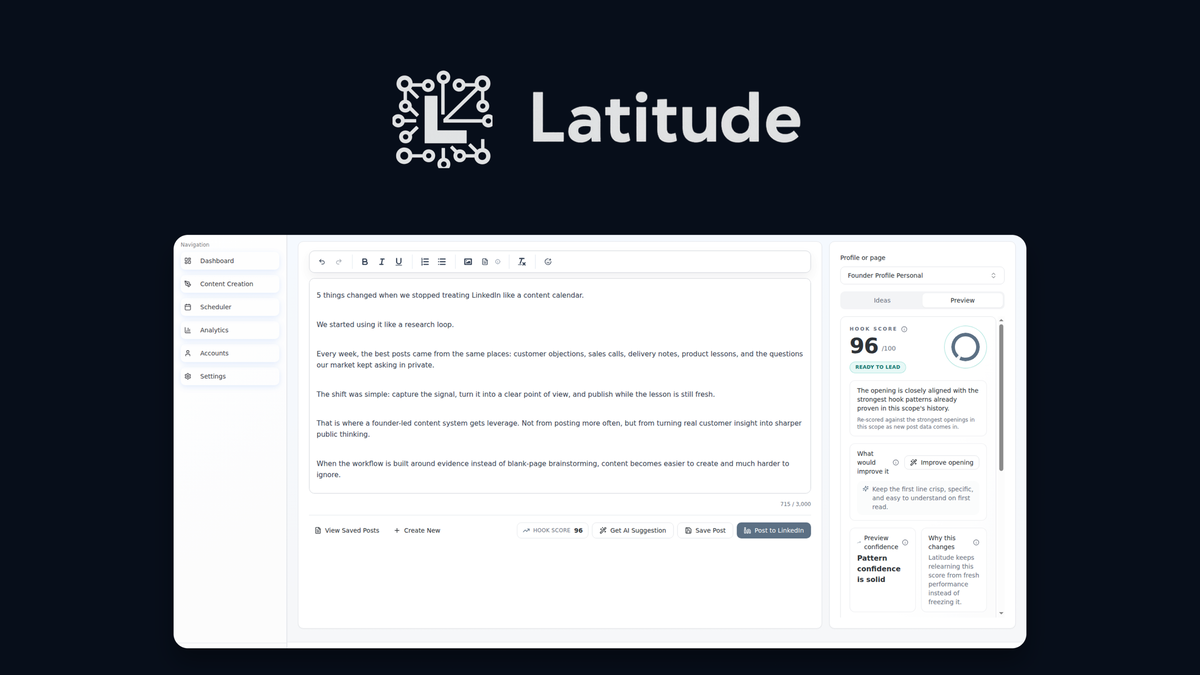
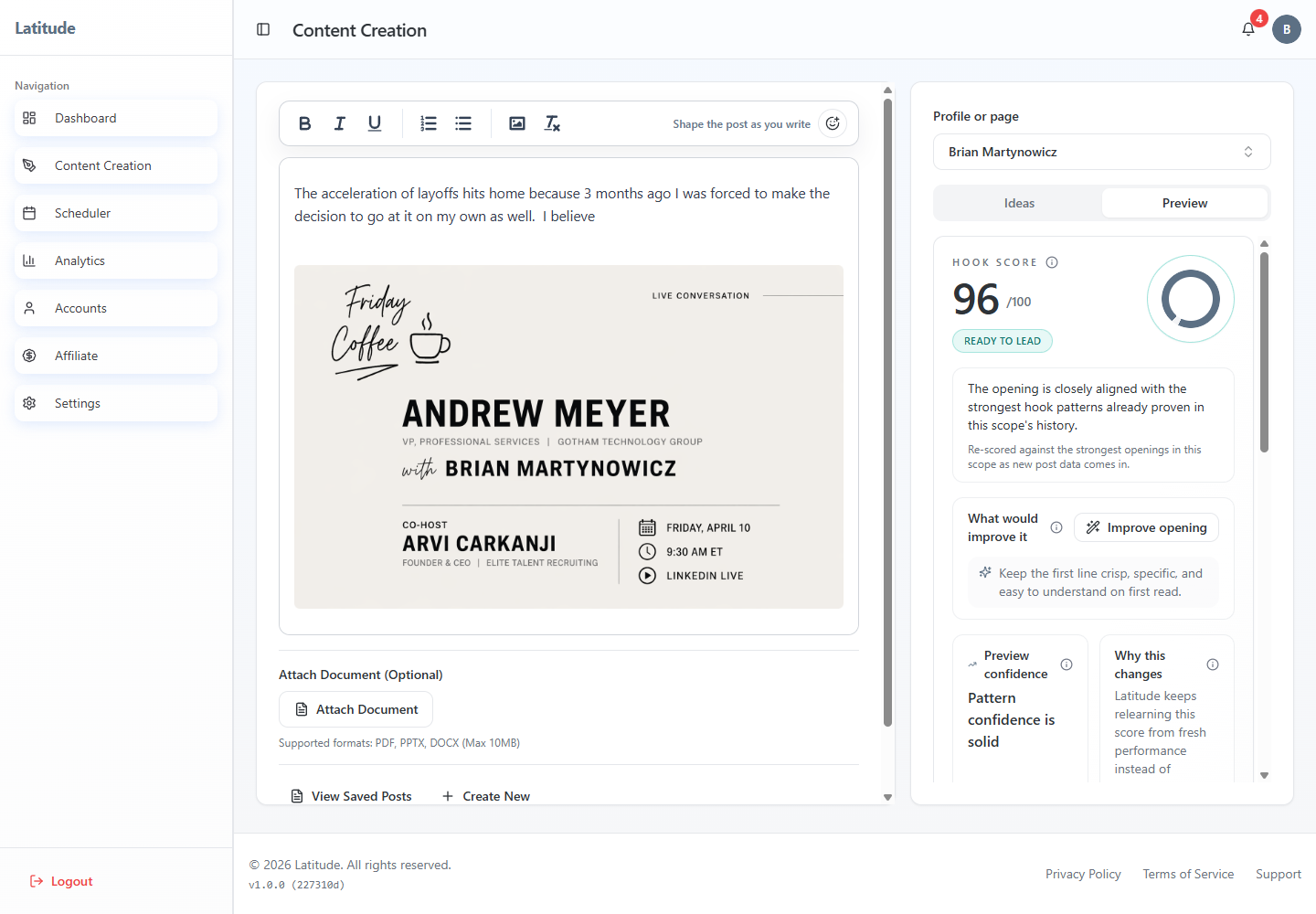
The focused editor includes formatting, media attachments, AI suggestions, and a LinkedIn-style preview so you see exactly what you’re publishing. Voice calibration settings keep your tone consistent across every post. Why it matters: the biggest failure of generic AI tools is that every post sounds the same. Latitude learns your phrasing and perspective from the writing samples and brand notes you provide, so the drafts feel like your ideas, written in your style. The trade-off is that you need to invest in the calibration setup to get the best results, especially when you first start.
Hook Scoring Before You Publish
Latitude scores your opening hook against benchmarks from similar LinkedIn profiles, so you know how it is likely to land before you hit publish. It also offers AI rewrite suggestions to sharpen tone and specificity, plus alternative content angles when your original direction is not gaining traction. This is one of the most useful features in the tool because the first line of a LinkedIn post decides most of the engagement. It saves you from learning by trial and error on a public profile.
Smart Scheduling and a Calendar View
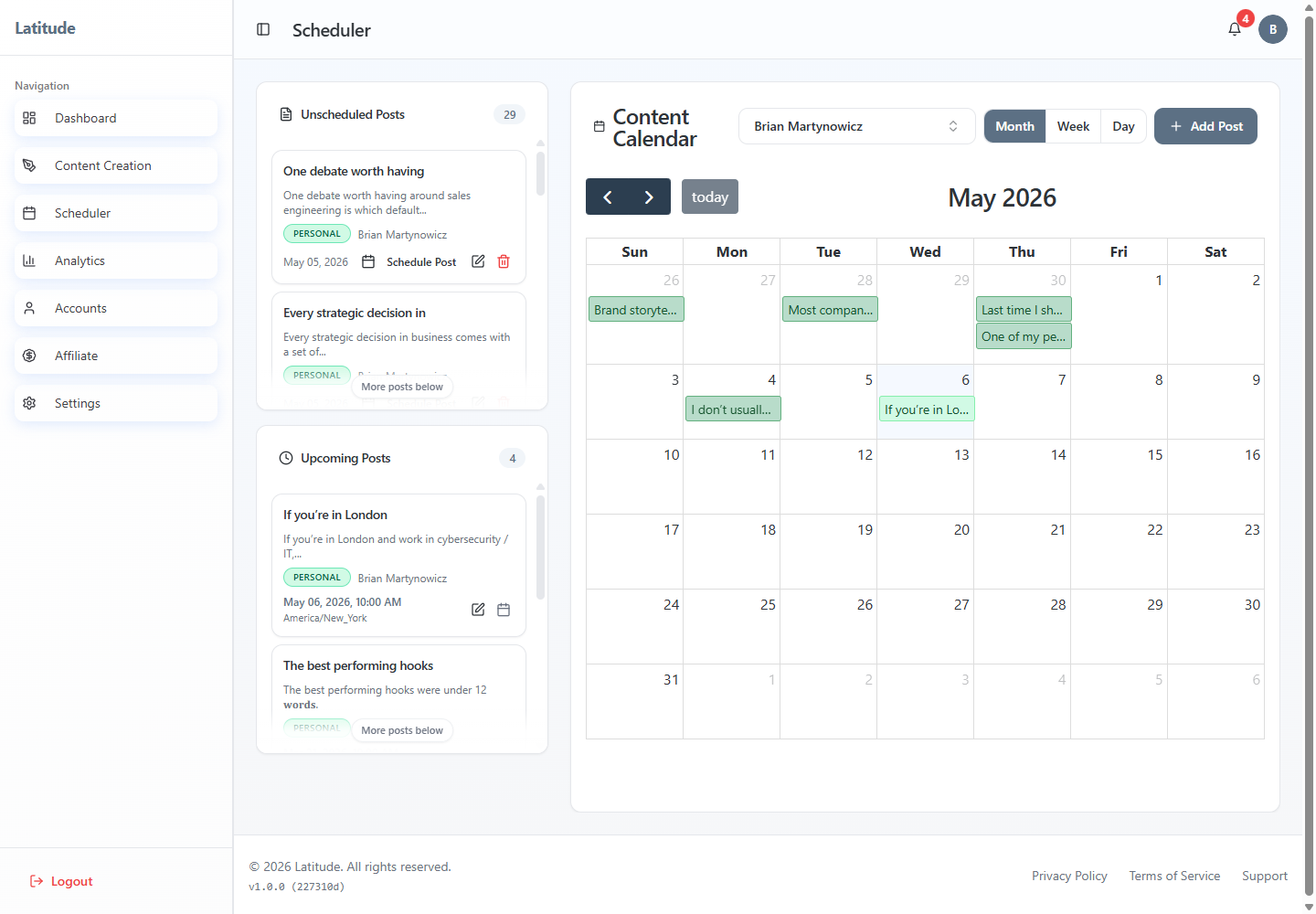
Approved drafts can be auto-placed at optimal posting windows or dragged onto the calendar manually. The monthly calendar makes gaps in your schedule obvious, which helps you keep a consistent rhythm. LinkedIn recommends posting two to three times per week, and the scheduler is built around that habit. You can publish directly when a post is ready or move saved drafts into the queue for later.
Post-Level Analytics
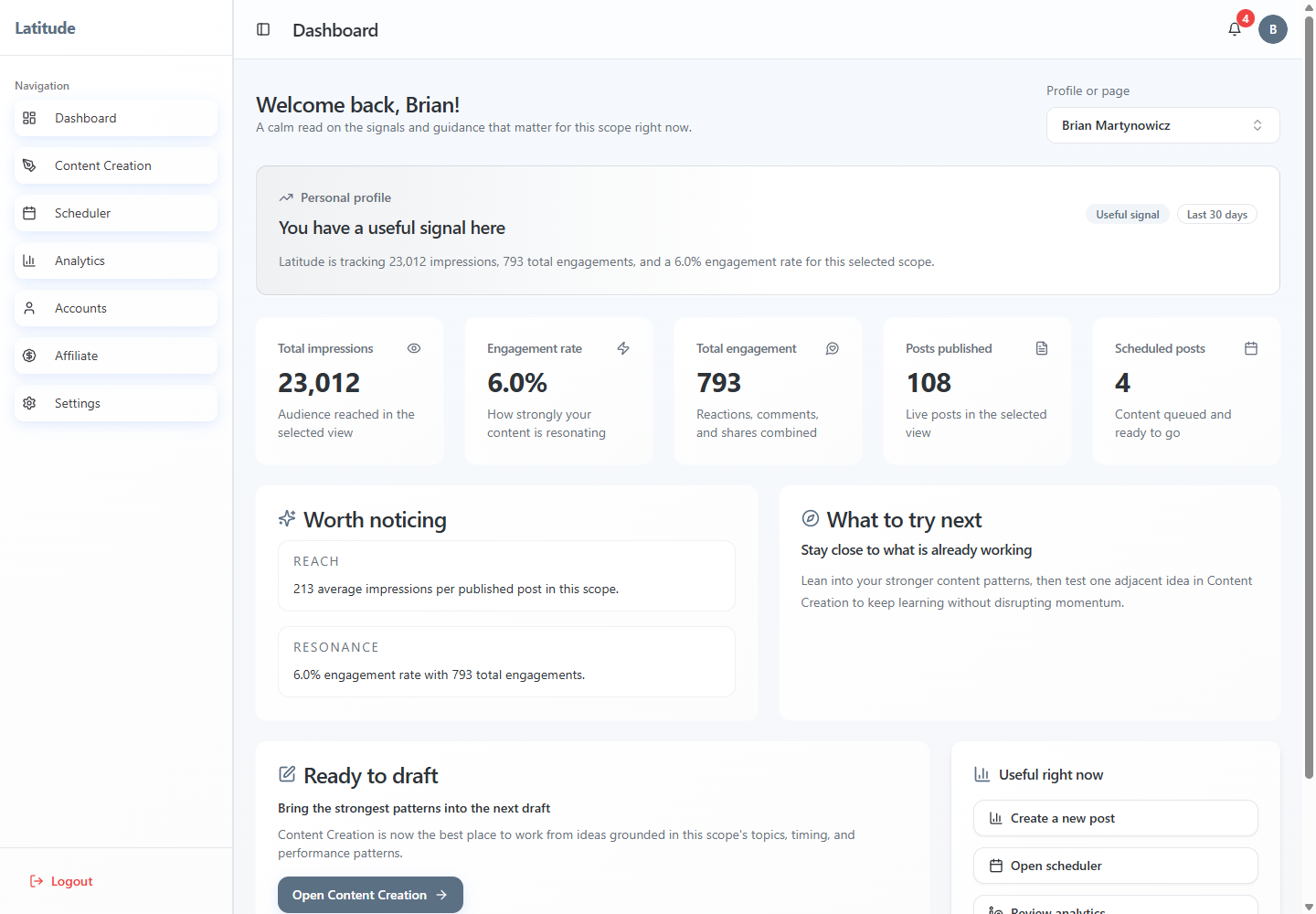
You can track impressions, reach, reactions, comments, and engagement rate by account and date range. Post-level performance shows which topics work best, so you can double down on what gains traction and stop repeating what does not. The analytics are simple compared to a full social listening suite, but for a founder checking weekly performance, they are more than enough.
Managed Accounts for Teams
For agencies and operators, Latitude supports multiple connected LinkedIn profiles with All Accounts views for a rollup dashboard, scheduler, and calendar. Strategy and AI defaults stay isolated per profile so each voice remains distinct. These features are unlocked on Tier 2 and Tier 3, which also add company account support and team management. If you only manage your own profile, the single-account tier is all you need.
Concierge Onboarding
Onboarding is designed to take about two minutes, and accounts are activated within one business day. Every account includes concierge onboarding with a kickoff call, setup checklist, and editorial review of your first posts. That level of human support is rare among AppSumo lifetime deals and is a genuine plus for non-technical founders.
Pros and Cons
Pros
- Voice-calibrated AI that produces posts that sound like you.
- Hook scoring gives a pre-publish quality check.
- All-in-one drafting, scheduling, and analytics.
- Safe OAuth connection with no comment or DM automation.
- Concierge onboarding and fast activation.
- Lifetime deal with a 60-day money-back guarantee.
Cons
- Tier 1 only includes 1 account and 15 published posts per month.
- No integrations yet; Slack, HubSpot, and other tools are still on the roadmap.
- Very new product with only a handful of AppSumo reviews so far.
- Multi-language and company account features are locked to higher tiers.
- Monthly published-post limits may feel tight for heavy publishers.
Pricing and AppSumo Deal
Latitude normally costs $34.99 per month on the Standard plan, with annual billing saving $120 per year. The current AppSumo deal for Latitude gives you lifetime access starting at $69, which replaces a monthly subscription with a one-time payment. There are three license tiers, and you can upgrade while the deal is live. All tiers include lifetime access, a 60-day refund window, and coverage by the We Got Your Back guarantee.
| Feature | Tier 1 ($69) | Tier 2 ($149) | Tier 3 ($349) |
|---|---|---|---|
| Connected LinkedIn accounts | 1 | 3 | 5 |
| Published posts per month | 15 | 45 | 75 |
| Post creation and ideation | Unlimited | Unlimited | Unlimited |
| Post performance analytics | Yes | Yes | Yes |
| Company accounts | No | Yes | Yes |
| Team management | No | Yes | Yes |
| Multi-language support | Yes | Yes | Yes |
You must activate your license within 60 days of purchase, and the deal is only for brand-new Latitude users with no previous accounts or trials. Because the tool is new, the lifetime price is effectively a bet on future improvements, which is something to weigh before buying.
Who Is It Best For?
Good Fit
- Founders and consultants who want consistent thought leadership without writing everything by hand.
- Solopreneurs who hate drafting but want to stay visible on LinkedIn.
- Job seekers and executives building a personal brand.
- Small go-to-market teams managing a few profiles.
Look Elsewhere
- Teams that need more than 5 connected accounts.
- Marketers who need multi-platform publishing, since Latitude only covers LinkedIn.
- Anyone who wants engagement or DM automation, which Latitude deliberately excludes.
- Agencies that need integrations with Slack, HubSpot, or CRM tools today.
Is Latitude Worth It?
Latitude is a focused tool that solves a real problem: consistent, authentic LinkedIn publishing without a heavy time cost. Its voice calibration and hook scoring are genuinely useful differentiators compared to generic AI writers. The main trade-offs are the post volume limits on Tier 1 and the lack of integrations. For a founder who posts two to three times per week, Tier 1 covers the recommended cadence at a fair one-time price. For teams managing multiple voices, Tier 2 or Tier 3 makes more sense.
Compared to social media schedulers like Buffer or SocialBee, Latitude is less flexible because it only covers one platform. But for that one platform, it offers a much deeper workflow: voice profiles, hook scoring, and post-level analytics all in one place. Whether it is worth it depends on whether LinkedIn is a core channel for you. If it is, the lifetime deal is a strong value. If you only post occasionally, a free scheduler might be enough. For teams that also need a broader business hub, our SuiteDash review looks at an all-in-one suite with CRM and communication built in.
Alternatives to Latitude
Taplio
Taplio is one of the best-known LinkedIn-first content tools. It offers content ideas, scheduling, analytics, and a Chrome extension for curating content. It is more mature than Latitude, but it comes with a monthly subscription, and its personal voice profiles are more limited. If you want a proven LinkedIn tool and do not mind recurring fees, Taplio is a solid choice.
Buffer
Buffer is a general social media scheduler that supports LinkedIn along with many other platforms. It is reliable, affordable, and easy to use, but its AI features are generic rather than LinkedIn-specific, and it has no hook scoring or voice calibration. It is the better pick if you need one tool for all your social channels.
SocialBee
SocialBee is another multi-platform scheduler with category-based content organization and AI-assisted generation. It works well for teams that need one tool for every social network, but it lacks Latitude’s LinkedIn-focused drafting and voice tuning. Its strength is organization and recycling content across channels.
HeyOrca
HeyOrca is a social media scheduling and approval platform aimed at agencies. It excels at client approval workflows across multiple platforms, but it is priced per client and is not an AI content generator. If you need to manage client approvals, it is worth a look; if you need AI drafting, Latitude is more relevant.
Final Verdict
Buy Latitude if you are a founder, consultant, or operator who wants to post on LinkedIn consistently without sounding like a robot, and you want a one-time lifetime deal instead of a monthly fee. The voice calibration, hook scoring, and concierge onboarding make it stand out in a crowded category. Skip it if you need multi-platform publishing, heavy integrations, or engagement automation, because Latitude is deliberately built to do one thing well.
Frequently Asked Questions
What is Latitude?
Latitude is an AI-powered LinkedIn content system that drafts, schedules, and analyzes posts while keeping your voice. It is built for founders, operators, and go-to-market teams who want consistent publishing without generic AI-sounding content.
How much does the Latitude AppSumo deal cost?
The lifetime deal starts at $69 for Tier 1, with Tier 2 at $149 and Tier 3 at $349. All tiers are one-time payments with a 60-day money-back guarantee, and you must activate your license within 60 days of purchase.
Is Latitude safe for my LinkedIn account?
Latitude uses secure LinkedIn OAuth and never handles your comments or direct messages. It focuses on planning, creating, scheduling, and publishing posts that you approve, so your account stays safe and your interactions stay authentic.
How many posts can I publish per month?
Tier 1 includes 15 published posts per month, Tier 2 includes 45, and Tier 3 includes 75. Post creation and ideation are unlimited on all tiers, so the limit applies to publishing volume, not drafting.
Does Latitude post or message people automatically?
No. Latitude only publishes content you approve. Replying to comments and sending direct messages always stays in your hands, which is part of its safety-first design.
Who is Latitude best for?
It is best for founders, consultants, job seekers, and small teams who want consistent LinkedIn publishing with authentic, on-brand content and are comfortable with a LinkedIn-only focus. For multi-platform teams, a general scheduler is a better fit.