Most AI browser agents take a screenshot of the page and guess where to click. Retriever AI does the opposite. It reads the actual structure of the page and writes code to complete the task end to end. That small technical choice is why it can pull hundreds of leads off a page, enrich them with verified emails, fill forms, and even handle checkout flows without falling over.
Retriever AI (rtrvr.ai) is an AI web agent platform built by a small San Francisco startup founded in January 2025 by two former Google engineers. The team says it has run more than 4 million workflows for over 30,000 users, and the platform ranked number one on the WebBench benchmark, ahead of agents from OpenAI and Anthropic, at a fraction of the cost.
This Retriever AI review covers how the tool works, its key features, the current pricing and AppSumo deal, honest pros and cons, who it suits best, and how it compares with Browse AI, Clay, and PhantomBuster. I also flag the limits you should know about before you buy.
Key Takeaways
- Retriever AI reads the live page structure instead of guessing from screenshots, so it handles longer, more complex workflows reliably.
- You get three ways to use it: a Chrome extension for your own browser, cloud browsers for scale, and Rover for embedding an agent on your website.
- Lead enrichment is the standout feature, matching names against LinkedIn, Crunchbase, and work-email datasets at 0.25 credits per record.
- The AppSumo deal gives lifetime access starting at $49, with monthly credits and up to 30 websites on the highest tier.
- It is built by ex-Google engineers and ranks number one on WebBench, but it is still young, with a small review base and a learning curve for complex tasks.
What Is Retriever AI?
Retriever AI is an AI web agent that automates repetitive online work. You describe the outcome you want in plain English, and the agent reads the page, decides what to do, and executes it. No code, no scraper scripts to maintain, no brittle XPath selectors.
The platform comes in three forms:
- Extension: runs inside your real, logged-in browser. Pull leads, fill forms, monitor pages, and run up to 10 background tasks at once without disrupting your active tabs.
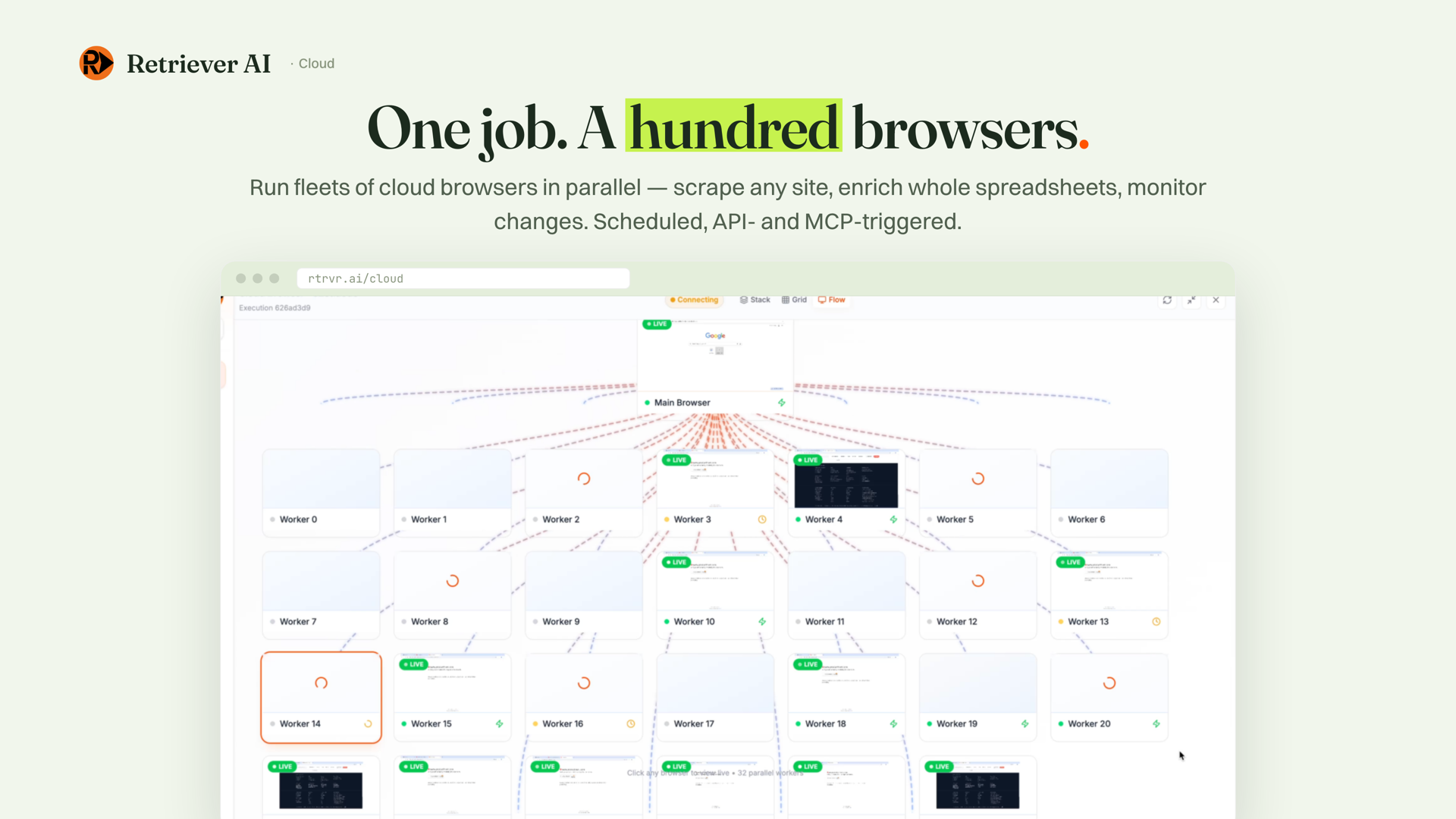
- Cloud: scaled automation on cloud browsers. Enrich spreadsheets, monitor sites across thousands of URLs, schedule jobs, and trigger them via API, MCP, WhatsApp, or a timer.
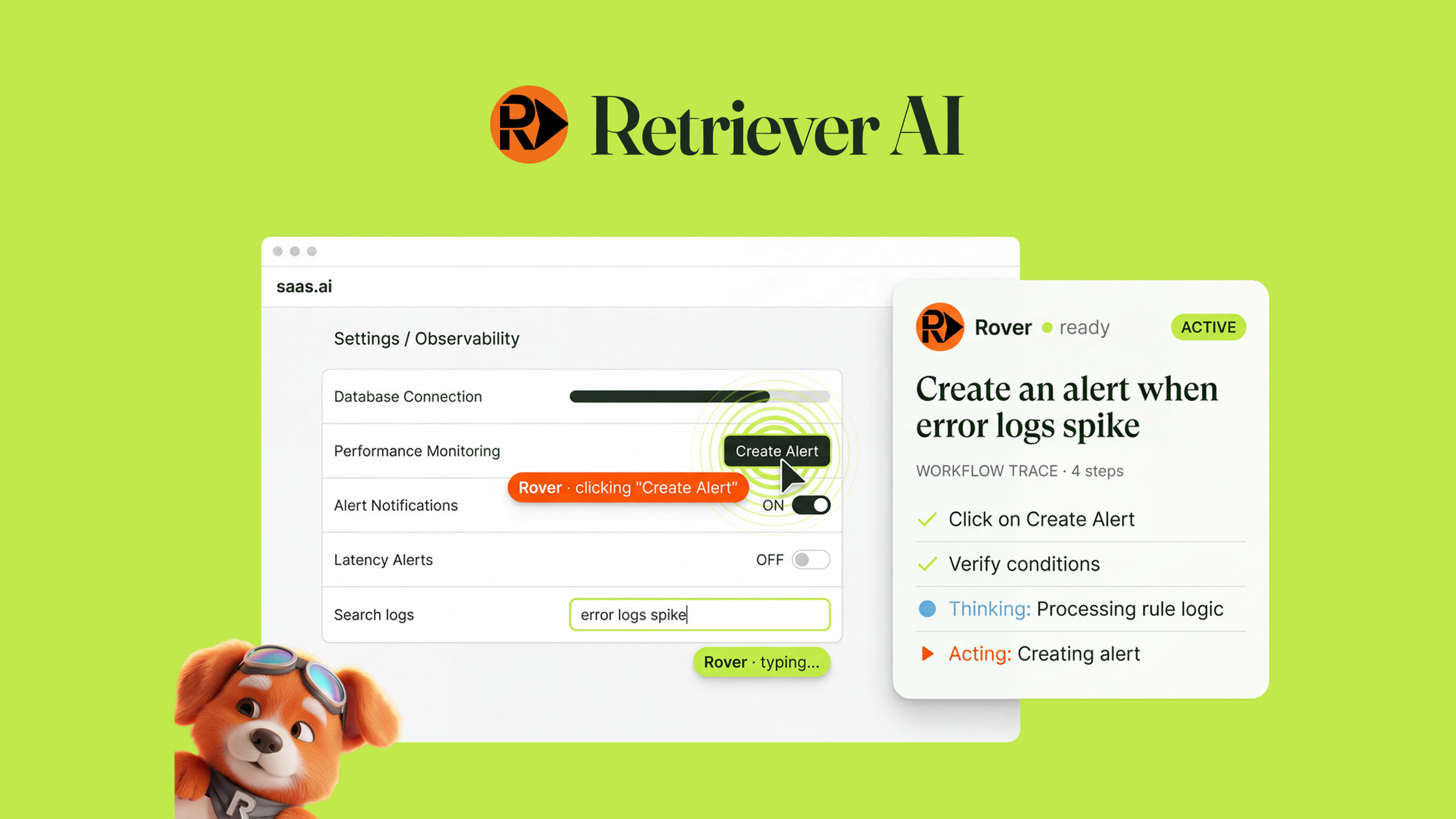
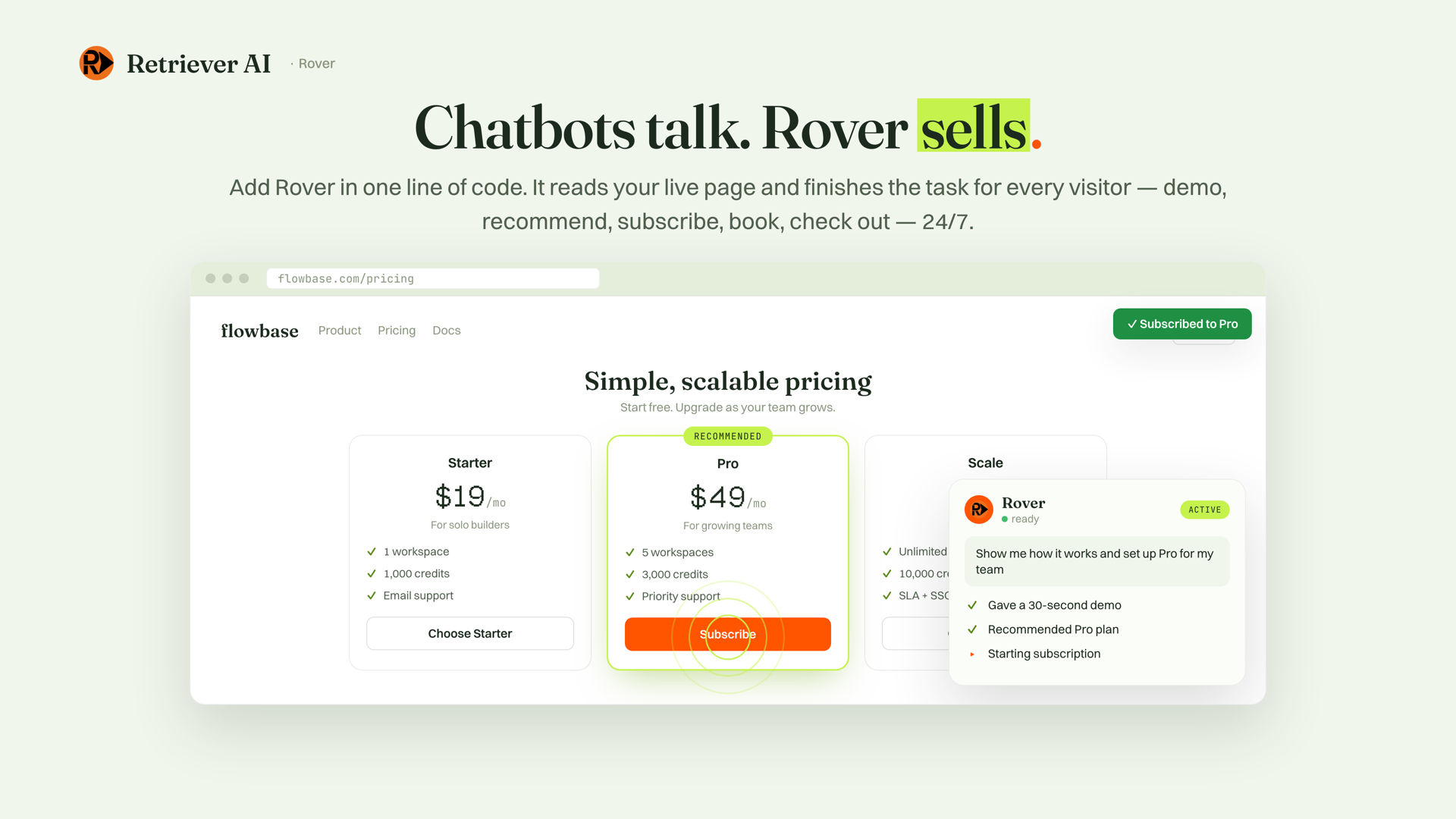
- Rover: an embeddable agent you add to your own site with one script tag. It onboards users, runs demos, and completes tasks inside your live UI for human visitors and incoming AI agents.
The core problem it solves is simple. The web is full of data and tasks that businesses depend on, but getting at any of it usually means hours of copy paste, or hiring a developer to build a scraper that breaks every time a site changes. Retriever puts an AI agent in your browser and in the cloud that can read any page, pull what is on it, enrich it, and take action. You can see the full feature set on the official Retriever AI website.
The difference from most rivals is technical. Screenshot-based agents use vision to guess where to click, which fails on complex or changing layouts. Retriever reads the real DOM and writes code to execute the task. The founders say this makes it about 25 times cheaper and 7 times faster than vision-based agents, with a state of the art 81.4 percent accuracy score on WebBench. It also avoids the Chrome Debugger protocol, which the team says removes a whole class of failures and bot detection.
Key Features
Lead generation and enrichment
Pull hundreds of names off any page, including LinkedIn searches, event pages, and directories, then enrich them against pre-indexed LinkedIn, Crunchbase, and work-email datasets. You can score every lead against your ideal customer profile and send connection requests and personalized outreach from your own real, logged-in session. For marketers and salespeople this replaces hours of manual copy paste every week. The cost is a flat 0.25 credits per enriched record, which is cheap, but it adds up if you enrich thousands of rows, so keep an eye on your monthly credit allowance. If you work with lead data regularly, you may also like my Cleanlist AI review, which covers a dedicated B2B lead enrichment tool.
Vibe scraping
Vibe scraping means you describe the actions and the data you want in plain English and the agent figures out the rest. There is no need to build selectors or write scripts, and if a site changes its layout, the agent self-heals instead of breaking silently. This is the biggest time saver for anyone who hates maintaining scrapers.
Cloud browser automation at scale
Run fleets of cloud browsers in parallel to scrape, enrich, and monitor across thousands of URLs. You can trigger jobs through the API, MCP, WhatsApp, or on a schedule, so automations keep running while you sleep. One tradeoff: cloud tasks cost 10 to 50 credits per run because of hosting and proxy costs, while extension tasks cost only 0.5 to 5 credits. Heavy cloud use will burn through your monthly credits quickly.
Rover: turn your website into a self-driving agent
With one script tag, Rover starts reading your site’s live DOM and can onboard new users, run demos, and complete checkout flows inside your actual UI. It works for human visitors and for incoming AI agents, which is a forward-looking play for the agentic web. Rover is normally the enterprise product, so the AppSumo deal caps it at the number of websites in your tier.
Analytics and monitoring
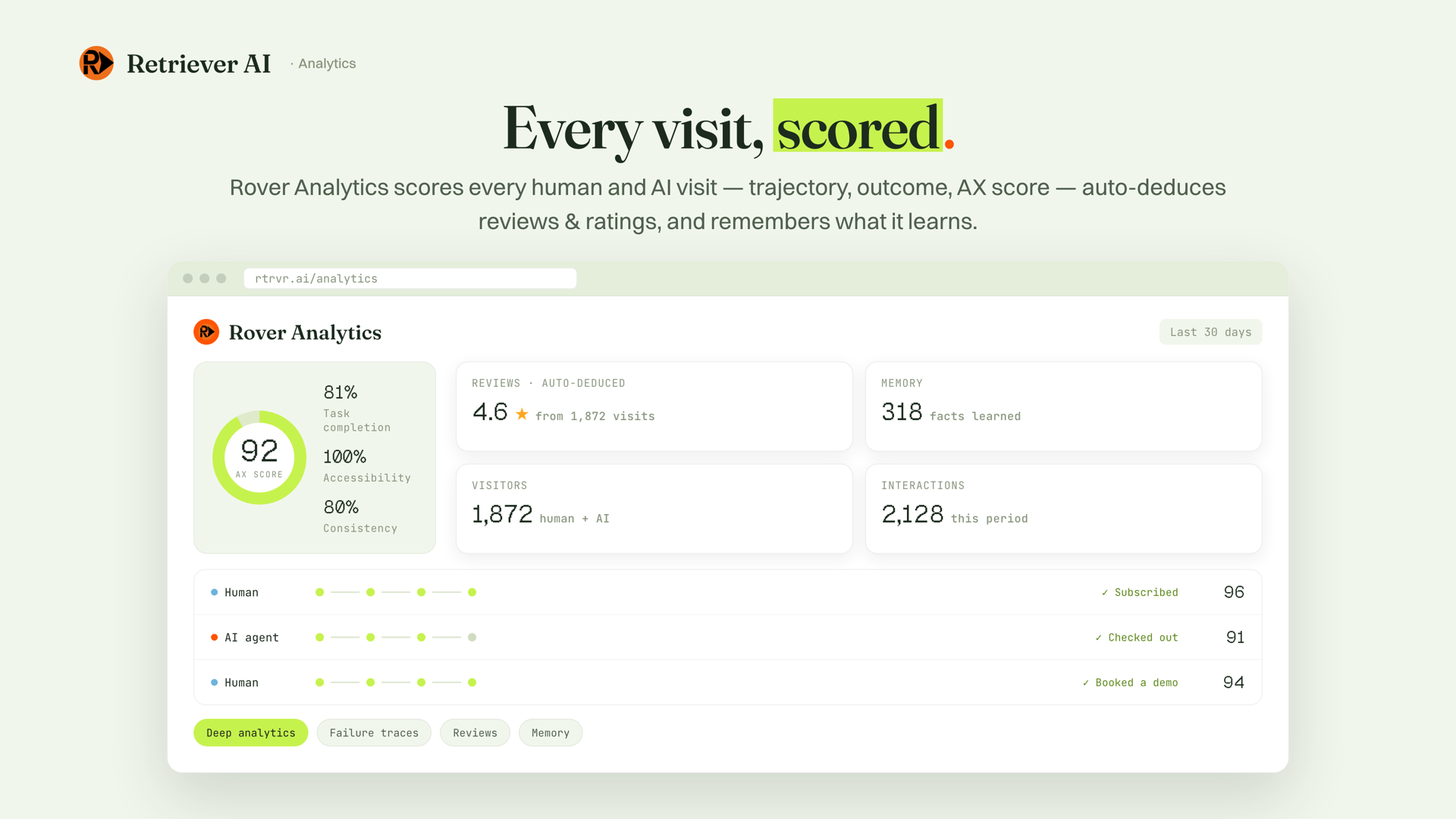
Track task completion, accessibility scores, and consistency across every human and AI visit. The dashboard shows auto-deduced ratings and outcome data, so you always know how the agent is performing without spot checking. What Rover learns is stored over time, which helps it get smarter with each run.
API, MCP, and integrations
Connect any app to the web via MCP by copying a single URL into your favorite AI tool or workflow builder. The /scrape, /agent, and /mcp endpoints let developers trigger remote browser work from n8n, Slack, Google Sheets, or webhooks. This is the feature that turns Retriever from a solo tool into infrastructure for a whole stack.
Pros and Cons
What I like
- Reads the real DOM instead of guessing from screenshots, so complex tasks finish reliably.
- Runs in your real browser as an undetectable extension that protects logged-in sessions.
- Lead enrichment is fast and affordable at 0.25 credits per record.
- BYOK (bring your own key) lets you skip LLM inference credit costs.
- Lifetime access with a 60-day money-back guarantee, and no code required.
- Built by ex-Google engineers and ranked number one on WebBench.
What could be better
- Young product with a small review base, 4.1 out of 5 from six AppSumo reviews.
- Minor learning curve for complex, multi-step tasks.
- Cloud tasks drain credits fast at 10 to 50 per run.
- Credit limits can push you to a higher tier for heavy use.
- LinkedIn automation carries platform-policy risk despite being undetectable within limits.
Pricing and AppSumo Deal
Retriever AI normally runs as a subscription. The current AppSumo deal converts it to lifetime access across four tiers. Here is what each tier includes:
| Feature | Tier 1 | Tier 2 | Tier 3 (Recommended) | Tier 4 |
|---|---|---|---|---|
| One-time price | $49 ($120 value) | $129 ($360 value) | $199 ($600 value) | $399 ($1,200 value) |
| Activation credits | 1,000 | 2,000 | 5,000 | 10,000 |
| Monthly credits | 250 | 500 | 1,000 | 3,000 |
| Websites | 1 | 5 | 15 | 30 |
Every tier includes lifetime access, the 60-day money-back guarantee, and all future plan updates. You need to activate your license within 60 days of purchase, and you can upgrade while the deal is live but only downgrade within 60 days of buying. Higher tiers unlock extras like BYOK, private mode, custom branding, the hosted MCP server, remote triggers, scheduled runs and site monitoring, the PDF generator, Rover embed, cloud browser streaming, analytics, and scaling to thousands of URLs.
How credits work is worth understanding before you buy. An agentic extension task takes 0.5 to 5 credits. A cloud task takes 10 to 50 credits because of browser hosting and proxy costs. Enrichment costs a flat 0.25 credits per successfully enriched record. Bring Your Own Key (BYOK) lets you supply your own LLM API key and skip the credit cost for inference, which is a big money saver for power users.
For most solopreneurs, Tier 1 is a cheap way to test the waters. If you plan to use Rover or run serious cloud automation, Tier 3 at $199 is the sweet spot because it includes 1,000 monthly credits and 15 websites. You can check the current Retriever AI deal on AppSumo before you decide.
Who Is It Best For?
Good fit:
- Marketers and salespeople who build lead lists and run cold outreach.
- Solopreneurs and small businesses that want automation without hiring a developer.
- Anyone who scrapes data or monitors competitors, prices, and job postings.
- Developers who want to connect the web to n8n, Slack, or their own tools via API and MCP.
- Website owners who want to embed an AI agent for onboarding and demos.
Look elsewhere if:
- You need a long-established enterprise platform with a large customer base.
- Your workload is tiny and one-off, so a cheaper tool makes more sense.
- You are uncomfortable with platform-policy risk on social sites like LinkedIn.
- You want a fully no-code, point-and-click interface with zero learning curve.
Is Retriever AI Worth It?
If you need to scrape the web, build lead lists, enrich emails, or automate repetitive browser work, Retriever AI delivers genuine capability at a fair price, especially on the AppSumo lifetime deal. The DOM-based approach sets it apart from screenshot-based agents, and the lead enrichment workflow is the clear highlight. It is not perfect. The product is young, the review base is small, cloud credits drain fast, and complex tasks take some practice. With the 60-day money-back guarantee, it is a low-risk tool to try before you commit.
Alternatives
Browse AI
Browse AI is one of the most popular no-code scraping and monitoring tools. Its point-and-click setup is simpler for beginners, but it relies more on predefined workflows and can be less flexible for complex logged-in automations. If you want the simplest possible scraping experience, Browse AI is the easier entry point. If you need enrichment and real-browser actions, Retriever has the edge.
Clay
Clay is a favorite for human-scale lead enrichment and outreach because it stitches many data sources into one workflow. It is powerful for complex enrichment logic, but it runs as a subscription with per-usage costs that climb quickly. Retriever’s lifetime deal is cheaper for ongoing enrichment once you get past the initial credits.
PhantomBuster
PhantomBuster is mature for social media automation and lead generation, with ready-made presets for LinkedIn and Instagram. It has a longer track record, but it is subscription-based and has faced platform restrictions over time. Retriever’s in-browser approach aims to be less detectable, though no tool can fully remove platform risk on social networks. For a different angle on data extraction, my DigiParser review covers a tool that pulls structured data from PDFs and emails.
Final Verdict
The main reason to buy Retriever AI is simple. You want an AI agent that reads the real page structure, automates lead generation and scraping, and runs inside your own logged-in browser, all with lifetime access on the AppSumo deal. The main reason to skip it is if you need a long-established enterprise tool with a large review base, or you cannot accept platform-policy risk on social networks.
FAQ
What is Retriever AI?
Retriever AI is an AI web agent that automates tasks in your browser or in cloud browsers. You describe what you want in plain English and it reads the page, scrapes data, fills forms, enriches leads, and takes action. It comes as a Chrome extension, a cloud dashboard, and an embeddable agent called Rover.
How much does Retriever AI cost?
Retriever AI normally runs as a subscription, but the AppSumo deal gives lifetime access. Tiers start at $49 for 1,000 activation credits and 250 monthly credits, and go up to $399 for 10,000 activation credits, 3,000 monthly credits, and 30 websites.
What is the Retriever AI AppSumo deal?
The AppSumo deal converts Retriever AI to lifetime access with a 60-day money-back guarantee. You get the Chrome extension, cloud browsers, enrichment datasets, API and MCP access, and the Rover embed, capped by the website count in your tier. You must activate your license within 60 days of purchase.
Does Retriever AI work for lead generation?
Yes. You can pull hundreds of names off any page, enrich them against LinkedIn, Crunchbase, and work-email datasets, score them against your ideal customer profile, and send outreach from your own logged-in session. Enrichment costs a flat 0.25 credits per record.
Is Retriever AI safe to use with my logged-in accounts?
The extension runs inside your own browser and only activates when you trigger it. It reads page content to act on websites, but it does not scrape your browser cache or access your credentials. Passwords never leave your browser, and data you scrape is written to your own Google Sheet.
Do I need to know how to code to use Retriever AI?
No. You describe the outcome in plain English and Retriever creates and runs the task. API and MCP access are available for advanced use cases, but they are optional. Most people use the extension and cloud dashboard without writing any code.