If you have ever stared at a Chrome extension you keep paying for and thought, “I could build this myself,” PlugThis AI is the tool that finally makes that possible. It is an AI powered builder that turns a plain English sentence into a complete, working Manifest V3 Chrome extension in minutes, even if you have never written a line of JavaScript. Today I am taking a close look at what it actually does, how it stacks up against Lovable and other app builders, and whether the current AppSumo lifetime deal is worth your money.
Key Takeaways
- PlugThis AI is a Chrome native builder, not a general app generator, so the extensions it outputs actually load in Chrome instead of breaking.
- You type a description in plain English and get full Manifest V3 source code covering the manifest, content scripts, background worker, and popup UI.
- Every build is loaded into a real Chrome before you download it, and you can refine your extension by chatting until it is exactly right.
- You own all the code outright, with Git sync, version history, and an auto generated privacy policy to help you pass Chrome Web Store review.
- Right now it is a Plus Exclusive AppSumo deal starting at $29 lifetime, with early access ending in just two days.
What Is PlugThis AI?
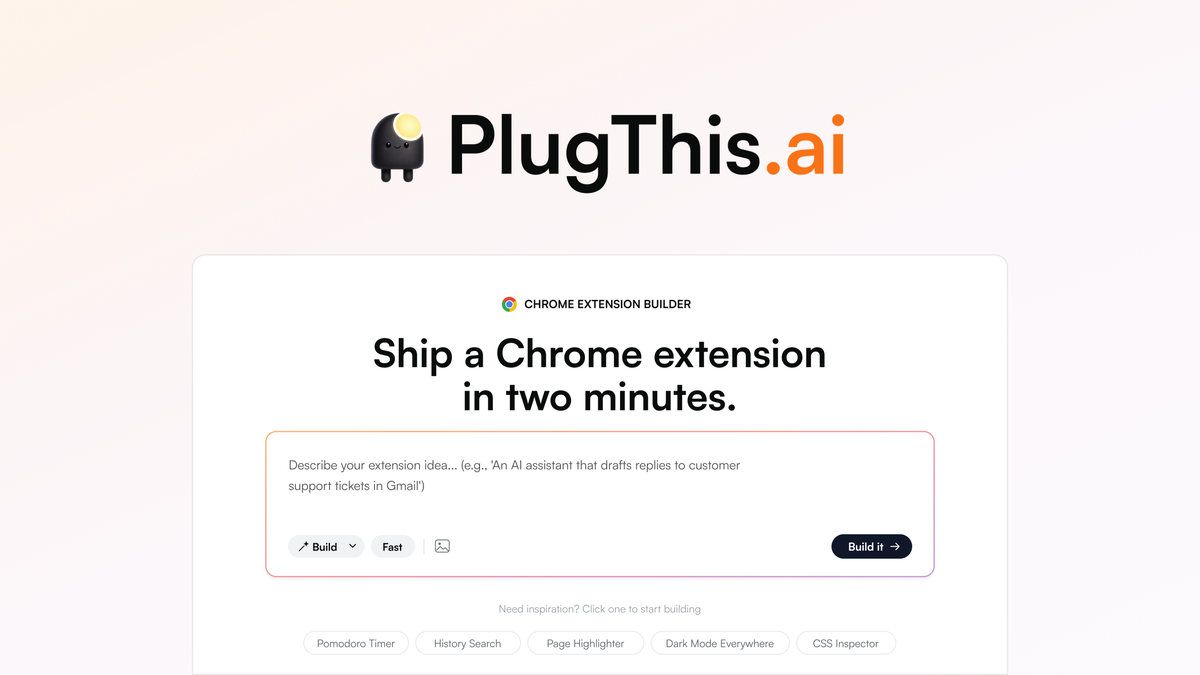
PlugThis AI is a browser based tool that builds Chrome extensions from a written prompt. The key difference from most AI app builders is that it is built only for Chrome extensions. When you ask a general tool like Lovable or Bolt for an extension, you usually get something that looks like a website and then fails the moment Chrome tries to run it, because Chrome needs a specific structure with a manifest file, content scripts, and a background service worker. PlugThis AI understands that structure and generates it for you.
The workflow is a conversation. You describe the extension you want, list which sites it should run on, and mention what UI it needs. PlugThis returns a working extension bundle. If something is off, you say what to change and it rebuilds. Every build gets loaded into a real Chrome instance before you download it, so you know it runs before you even install it.
The company behind it is a small bootstrapped team founded in February 2026 and based in Bengaluru, India. The tool is aimed at solopreneurs, non developers, and builders who want to turn a browser idea into a real product without hiring a developer or learning the Chrome extension APIs by hand. It also carries an alternative positioning against Lovable and Replit, but focused narrowly on one thing: shipping extensions.
Key Features
Prompt to Extension Generation
You start with a one sentence prompt, and PlugThis builds a full Manifest V3 extension with the manifest file, popup interface, content scripts, background service worker, styles, and icons. It maps your description straight onto Chrome’s extension architecture, so you do not need to know what a content script is or how permissions work.
This matters because most no code builders that claim to make browser tools actually produce web app code. PlugThis is built for the extension lifecycle specifically, and that is where it earns its place. For non developers, this is the difference between a tool you can actually use and one you abandon after the first broken install.
Iterative Refinement in Chat
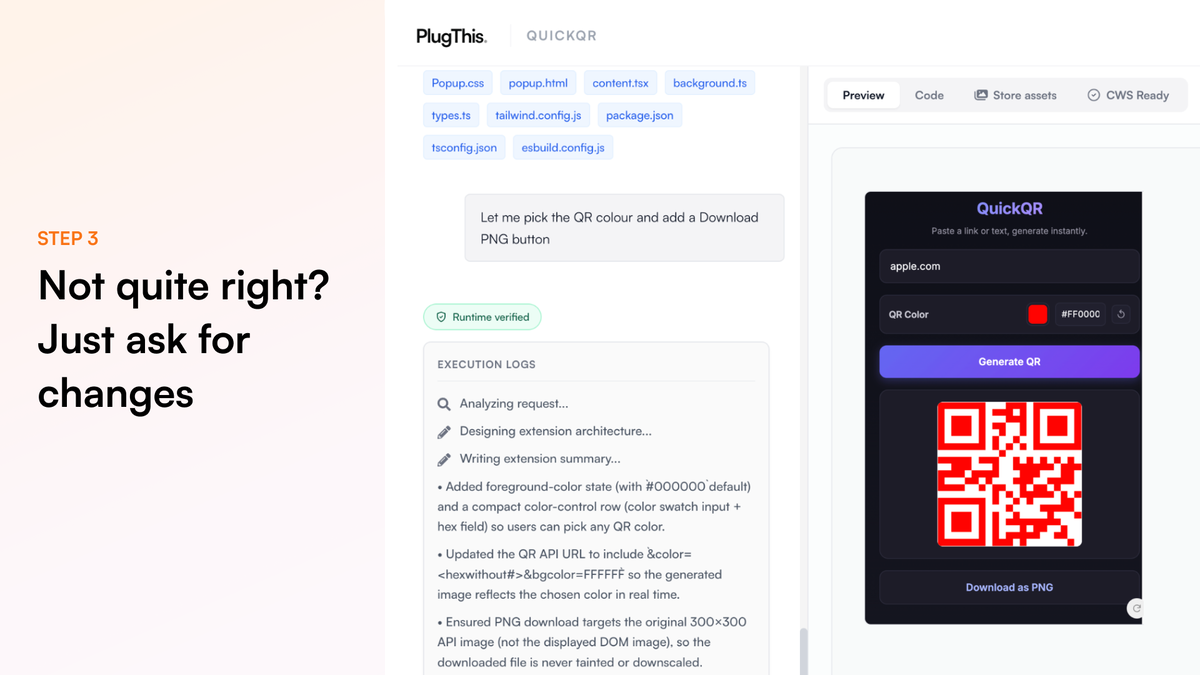
Once your first version is built, you keep refining it in a chat: “change the color,” “add an export button,” “only run on Gmail.” Each iteration takes a minute or two, and live preview updates keep your project state intact. When you want precise control, you can also edit files directly in the built in code editor and then continue from there. Refinement feels like working with a patient developer who never loses context.
Real Chrome Verification Before Download
Here is the detail that sets a working extension apart from a prototype. PlugThis loads every build into a real Chrome instance and verifies it runs before you can download the ZIP. That means you are not guessing whether the extension works. You install it, test it, and then decide if it is ready to ship. This is a meaningful quality check that generic app builders simply do not provide for Chrome output.
Supabase Backend Scaffolding
If your extension needs a login, a database, or server side logic, PlugThis can wire up a Supabase backend for you. You connect your own Supabase account and it auto generates the auth, Postgres database, and edge functions. This turns a simple utility into a full stack extension without you writing any server code.
Full Source Code Ownership
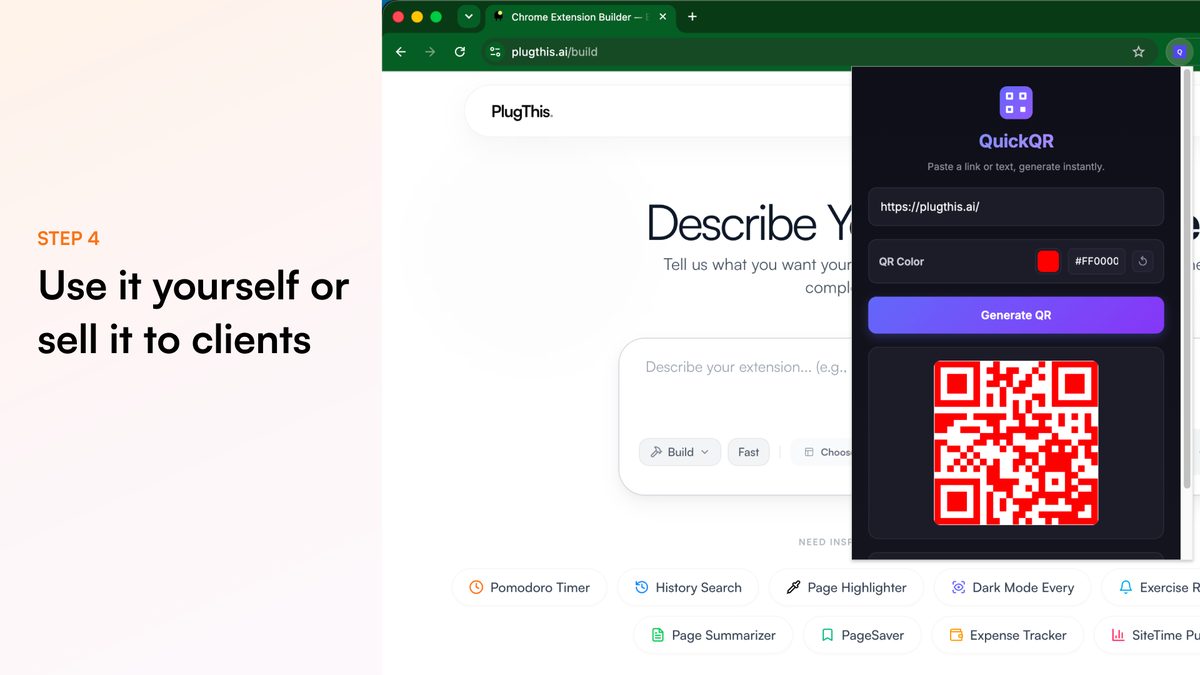
You get every file and every line of code. That means you can edit it in the built in code editor, download it, sync it to GitHub, or move it to your own repository. There is no vendor lock in and no obfuscated code. You own the output, so you can publish it to the Chrome Web Store under your own name or sell it to clients. Freelancers use this to build extensions and charge thousands per project.
Chrome Web Store Ready Packaging
Submitting an extension to the Chrome Web Store is where most projects stall. PlugThis handles the common rejection reasons by default: minimal permissions, a compliant Manifest V3 structure, and an auto generated privacy policy and terms. It also creates promo slides for your listing. You still need a $5 Google developer account and to write your store description, but the hard part of getting the code to pass review is handled.
Pros and Cons
What I Like
- Purpose built for Chrome extensions instead of generic web app code that does not load.
- Plain English prompts, so non developers can ship something real.
- Every build is tested in real Chrome before you download it.
- Full source code ownership with no lock in and no royalties.
- Supabase integration gives you a real backend without writing server code.
- Chrome Web Store readiness checks and promo assets save you the hardest part of publishing.
What Could Be Better
- The current AppSumo deal is Plus Exclusive, so you need an AppSumo Plus membership to buy it.
- Lifetime tiers include a monthly generation allowance, while the paid monthly plans are unlimited.
- The build model choice is fixed for you, so you rely on PlugThis to pick the right model for each build.
- Complex extensions may still need a few iterations or the final 10 percent done by a developer.
- Content scripts and service worker behavior against live third party sites still need final testing in Chrome, since the editor preview cannot fully simulate real pages.
Pricing and AppSumo Deal
PlugThis AI has straightforward monthly plans on the official PlugThis AI website: Starter at $9.99 a month for one extension project, and Builder at $29.99 a month for three projects with full stack support and priority help. The lifetime deal on PlugThis AI on AppSumo is where the value sits. It is labeled Plus Exclusive, starts at $29 (down from a $129 list price), and early access ends in two days. There are four tiers to choose from.
| Plan | Price | Extensions | Generations per Month | Seats |
|---|---|---|---|---|
| Tier 1 | $29 | 1 | 20 | 1 |
| Tier 2 | $109 | 3 | 60 | 3 |
| Tier 3 | $229 | 8 | 180 | 5 |
| Tier 4 | $349 | Unlimited | 300 | 15 |
Every tier includes lifetime access, Chrome Web Store readiness, full stack builds, store promo assets, an auto generated privacy policy, GitHub sync, version history, public share links, and full ownership of the code. The deal is refundable up to 60 days and covered by AppSumo’s We Got Your Back guarantee, so you are not risking much to try it. Just note it is only for brand new PlugThis users, and you have to activate your license within 60 days of purchase.
Who Is It Best For?
Good Fit
- Non developers and solopreneurs who want a custom browser tool without hiring a developer.
- Marketplace sellers and freelancers who build extensions for clients and charge for the source code.
- SaaS founders who want to ship a companion Chrome extension for an existing product.
- Anyone tired of paying monthly for a narrow extension they could build once and own forever.
Look Elsewhere
- Teams that need enterprise controls like SSO, audit logs, and centralized administration.
- Users who must support multiple browsers from one verified build pipeline, since PlugThis focuses on Chrome.
- Developers who want full control over their own build tooling, linting, and tests from day one.
- Anyone expecting Chrome Web Store approval to be automatic, because you still write the listing and pay the $5 developer fee.
Is PlugThis AI Worth It?
For its target audience, yes. PlugThis AI solves a real problem that general AI app builders do not: it produces Chrome extensions that actually run in Chrome. If you have a browser idea you keep paying a monthly subscription for, or a workflow you want to automate on a site you already use, this tool lets you build it once and own the code.
The main caveats are the Plus Exclusive requirement and the monthly generation caps on the lifetime tiers. If you plan to build more than a handful of extensions and iterate heavily, the higher tiers make more sense. If you are unsure, the $29 entry point is a low risk way to test whether prompt driven extension building fits how you work, especially since it is refundable for 60 days. For a quick, single purpose extension, it is genuinely hard to beat.
Alternatives
Lovable
Lovable is a popular prompt to app builder that generates full web applications. It is excellent for websites and SaaS interfaces, but it is not optimized for the Chrome extension lifecycle, so asking it for an extension usually returns something extension-like that does not load cleanly. If your goal is entirely a browser extension, PlugThis is the more direct tool.
Replit
Replit is a broader development platform with an AI assistant that can write extension code, but it expects you to know the Chrome extension architecture, the manifest format, and how to package the result. PlugThis removes that entire layer by handling the structure for you. If you are a developer who wants full control over the toolchain, Replit gives you more flexibility at the cost of more setup.
Kromio
Kromio is another AI Chrome extension builder focused on the same vibe coding niche. The deciding factors come down to project limits, editing depth, backend support, and how reliably each handles the exact Chrome APIs you need. PlugThis stands out with its real Chrome verification before download and its Supabase full stack option.
Building It Yourself
If you already know JavaScript, an AI code editor combined with a hand written manifest and content scripts remains a valid route with the most control over testing, dependencies, and browser compatibility. The trade off is that you handle the Chrome specific boilerplate yourself. PlugThis simply removes that boilerplate so you can ship faster, then hand the code off to a developer for the final 10 percent if you ever need it. For a different kind of no code build, you can also see how tools like GenPage handle AI page generation, or check the Surfn AI review for AI agent pages that need no browser extension at all.
Final Verdict
The main reason to buy PlugThis AI is that it closes the gap between a browser idea and a working, ownable Chrome extension for people who do not write code. The main reason to skip is if you need enterprise controls, multi browser support, or unlimited generations on a strict budget, or if you are not already an AppSumo Plus member.
If that trade off works for you, this is a clean, focused tool that delivers on its one promise: turning a plain English prompt into a real Chrome extension you can keep, sell, or publish.
Frequently Asked Questions
Can I build a Chrome extension with PlugThis if I cannot code?
Yes. Describe the extension in plain English and PlugThis returns a working Manifest V3 bundle with the manifest, content scripts, popup, and background service worker. No JavaScript or Chrome API knowledge is required, and most users have a working extension within minutes.
Is the output a real extension ready for the Chrome Web Store?
Yes. PlugThis returns a complete Manifest V3 folder you can download as a ZIP, load as an unpacked extension in chrome://extensions, or publish to the Chrome Web Store. It includes a readiness check, auto generated privacy policy, and promo slides to help with the store listing.
Do I need my own API key for AI features inside extensions?
Only for AI behavior inside the extensions you build, such as summaries or auto repliers. You bring your own OpenAI, Gemini, or Groq key, and that key lives in your extension’s storage. It is not sent to PlugThis servers. The AI that builds your extension itself runs on PlugThis servers and is included in your plan.
How does PlugThis handle a backend for my extension?
It can auto generate a full backend by connecting your Supabase account. It wires up authentication, a Postgres database, and edge code, so extensions that need persistent storage or login get a working backend without you writing server code.
Can I sell extensions I build with PlugThis?
Yes, on all tiers. You own the IP for everything you build and there are no royalties or revenue sharing. You can publish to the Chrome Web Store, sell on marketplaces, or build custom extensions for clients and charge whatever you want.
Is the AppSumo lifetime deal a good value?
The $29 tier is a low risk entry point for one extension project and 20 generations a month, and it is refundable for 60 days under the We Got Your Back guarantee. Just remember it is Plus Exclusive, only for new users, and you must activate within 60 days of purchase. For anyone who wants to build just the extensions they actually use, it is a solid deal.