

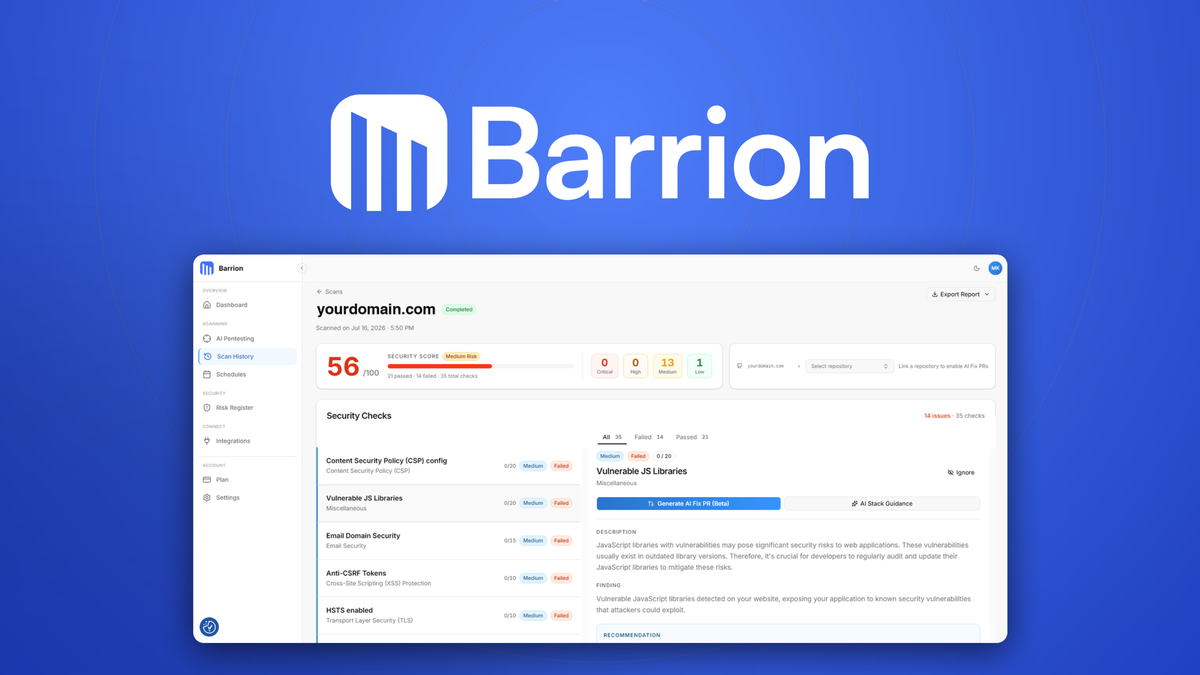
Most web apps have security holes, and most teams only find out after someone else does. Barrion is a web app security scanner that points at your live site and returns a fixable report in about 60 seconds, with no setup and no code changes. This Barrion review covers how it works, what the 35+ checks actually find, what the AppSumo lifetime deal includes, and who should buy it.
Key Takeaways
- Barrion runs 35+ passive, read-only security checks on live web apps and APIs and returns a report with step-by-step fixes in under 60 seconds.
- It covers TLS, security headers, CSP, cookies, CORS, DNS, email authentication (SPF, DKIM, DMARC), and vulnerable JavaScript libraries without touching production.
- The AI can generate a fix as a GitHub pull request, so remediation goes from report to shipped code without manual work.
- Continuous monitoring with Slack, Teams, or email alerts catches new vulnerabilities as they appear.
- The AppSumo lifetime deal starts at $59 for 50 manual scans a day, one monitored domain, and weekly monitoring, with an add-on for AI penetration testing.
What Is Barrion?
Barrion is a cloud-based web application security testing and monitoring platform built for engineering teams that do not have a dedicated AppSec hire. It was developed by Mikael Karlgren and officially founded on February 6, 2025 in Gothenburg, Sweden. The company is still a small, pre-seed startup with 1 to 10 employees, and Barrion’s official website reports that more than 5,000 developers and teams already use it.
The tool works in three modes. Passive scanning runs read-only checks against your live site or API and only reads data, never changing anything. Codebase scanning connects to GitHub and inspects your repository on every commit for hard-coded secrets, insecure patterns, and vulnerable dependencies. AI penetration testing goes deeper and actively probes for exploitable flaws like SQL injection, XSS, and broken access control, with scope you approve before it starts.
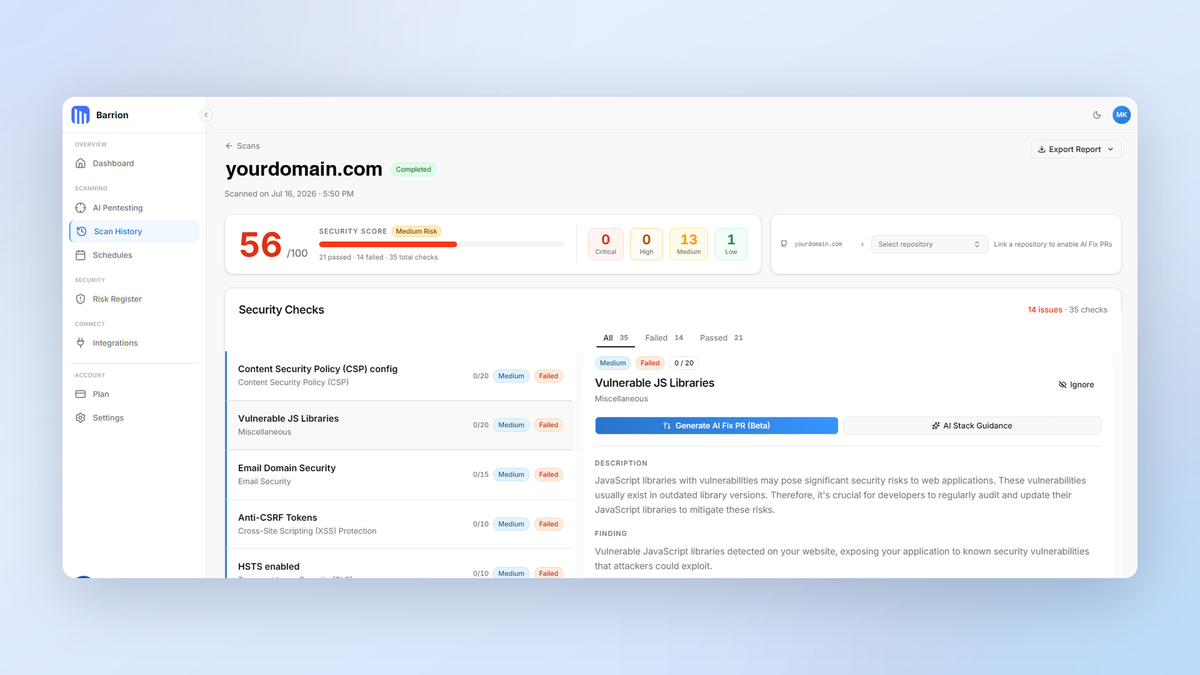
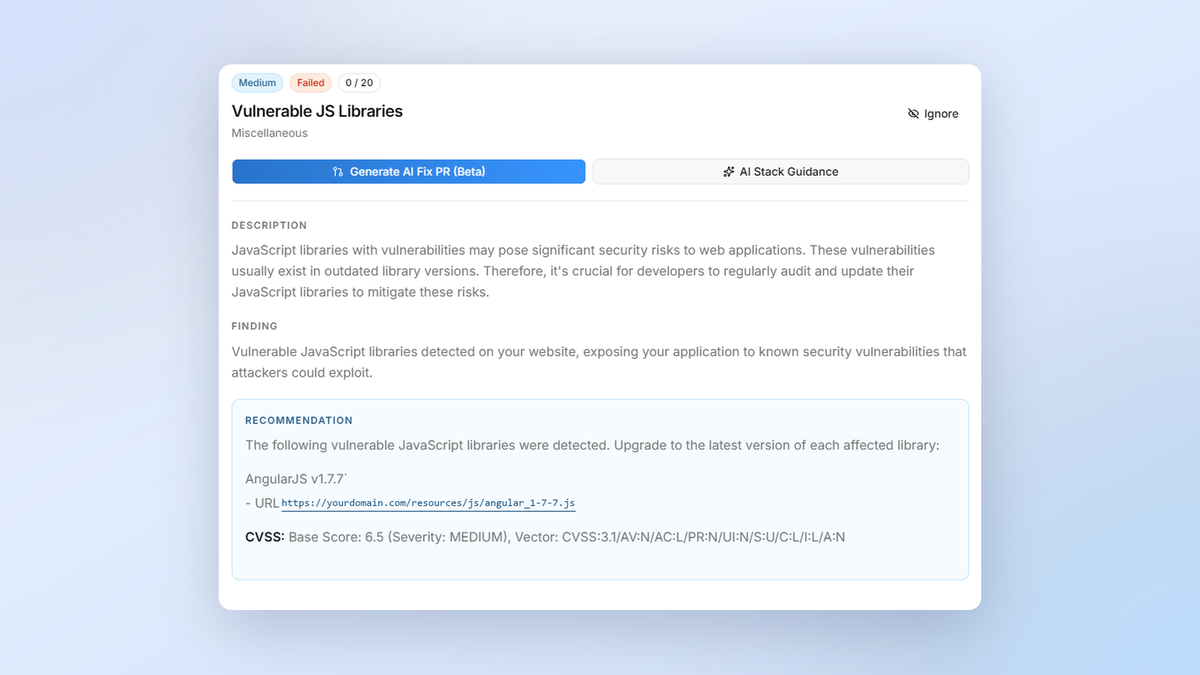
What makes Barrion different from a traditional scanner is the reporting layer. Every finding comes with a plain-language explanation, a severity level, and exact remediation steps. If you connect a GitHub repo, Barrion can even draft the fix as a pull request. The goal is to close the loop from detection to fix without a security specialist in the room.
Key Features
35+ Automated Security Checks in One Scan
Barrion’s core scan covers the surface most attacks target first. It checks HTTPS and TLS configuration, including HSTS, certificate validity, and cipher suites. It validates HTTP security headers like CSP, X-Frame-Options, and X-Content-Type-Options. It reviews cookie flags, CORS policy, mixed content, DNS records with DNSSEC and CAA, and email authentication through SPF, DKIM, and DMARC. It also flags vulnerable JavaScript libraries and common web hygiene gaps.
In practice, this means one URL yields one report covering misconfigurations, weak transport security, framework exposure, and email spoofing risk. And because the checks are passive and read-only, you can run them against production without downtime.
AI-Generated Fix PRs on GitHub
Most scanners tell you something is broken. Barrion tells you how to fix it, and for many findings it can generate the pull request for you. Each issue includes a plain-language explanation and safe rollout guidance, so a misconfigured header becomes a code review instead of an afternoon of research.
This is the strongest feature for the target market. For a small team, turning a security report into merged fixes without a specialist is the difference between acting and ignoring.
Continuous Monitoring With Alerts
Security is not a one-time event. Barrion schedules recurring scans for your domains and alerts you the moment a new vulnerability appears, through email, Slack, or Microsoft Teams. A security score that trends over time helps you catch configuration drift before it becomes a breach.
Note that the AppSumo deal monitors weekly on every tier. Daily monitoring is a feature of the $179 per month Business plan on the official site, not the lifetime deal.
Audit-Ready Compliance Reports
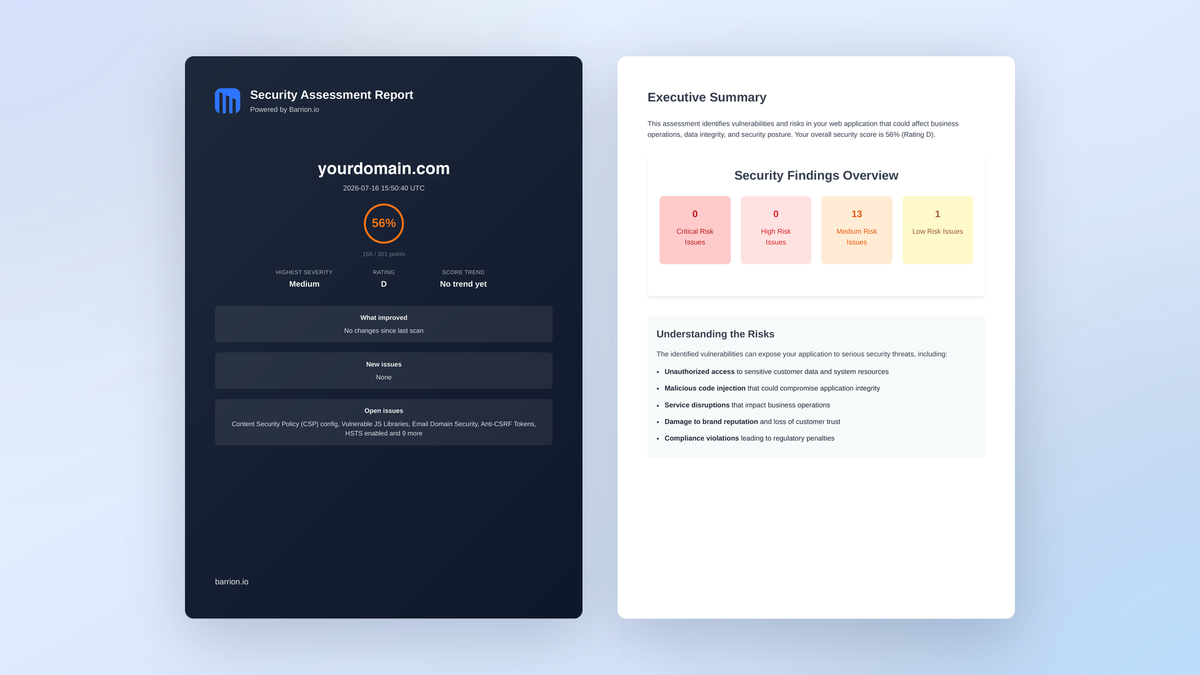
Barrion exports board-ready PDF and CSV reports aligned with SOC 2, ISO 27001, PCI DSS, and NIS2, and it references OWASP and CIS Controls for context. For a small company preparing for its first SOC 2 audit, having continuous, shareable evidence between annual reviews is one of the tool’s most practical features.
AI Penetration Testing (Add-On)
Deeper testing is available as a separate AI penetration test with an approved scope. It looks for SQL injection, XSS, IDOR, SSRF, broken access control, and authentication flaws, and returns proof of exploit for each confirmed finding. It runs rate-limited and non-destructive, and is billed per engagement rather than as part of the normal subscription.
Barrion Pros and Cons
What Barrion Does Well
- Free 60-second scan with no credit card, no account, and no setup, so you can test any URL first.
- Passive read-only scanning is genuinely production-safe.
- AI Fix PRs turn findings into shipped fixes, which is rare at this price.
- Compliance-oriented PDF and CSV reports map to SOC 2, ISO 27001, PCI DSS, and NIS2.
- Continuous monitoring with Slack, Teams, and email alerts keeps the whole team informed.
- The lifetime deal removes the $39 to $179 per month recurring cost of the official plans.
Where Barrion Falls Short
- Very early product: the recent launch had only one AppSumo rating (4.0), so long-term reliability is unproven.
- Weekly monitoring on all lifetime tiers may leave a critical change undetected for up to a week.
- Deep AI penetration testing is a $249 add-on, not a tier feature.
- Codebase scanning integrates only with GitHub for now.
- A 60-second passive scan is not a replacement for a full manual penetration test.
- Pre-seed startup risk: 1 to 10 employees and a young roadmap.
Barrion Pricing and AppSumo Deal
Barrion’s official pricing starts with a free plan (18 core checks, 5 scans a day, 3 pages) and moves to the Essential plan at $39 per month, which matches the AppSumo tier feature set. The Business plan adds daily monitoring, more domains, and AI pentest access at $179 per month.
| Feature | Tier 1 | Tier 2 | Tier 3 |
|---|---|---|---|
| Price | $59 | $149 | $249 |
| Scans per day | 50 | 200 | 500 |
| Pages per scan | 20 | 100 | 200 |
| Domains monitored | 1 | 5 | 10 |
| Monitoring cadence | Weekly | Weekly | Weekly |
| Slack / Teams alerts | Yes | Yes | Yes |
| AI fix PRs | Yes | Yes | Yes |
| Audit-ready reports | Yes | Yes | Yes |
All tiers include lifetime access to the Essential plan and its future updates, so this is a one-time purchase instead of a subscription. The deal is for new Barrion users only, and you must activate your license within 60 days. AppSumo’s 60-day money-back guarantee applies, and an AI penetration test is available as a $249 add-on.
Who Is It Best For?
Good Fit
- Developers and small engineering teams shipping web apps or APIs who want a baseline security layer without hiring a dedicated AppSec person.
- Freelancers and agencies managing multiple client sites who want a quick, reportable scan for each one.
- SaaS founders preparing for a first SOC 2 or ISO 27001 audit who need continuous evidence between reviews.
- Indie hackers who want a cheap safety net that flags obvious misconfigurations early.
Who Should Look Elsewhere
- Enterprises with dedicated security teams and mature compliance programs will outgrow this quickly.
- Teams that need frequent hands-on penetration testing should budget the add-on instead.
- Anyone already running a full enterprise scanner like Nessus or Snyk may not need a third tool.
- Organizations that require certified, audited security monitoring vendors.
Is Barrion Worth It?
For its intended audience, yes. If you run a web app and are not already doing regular security checks, the instant free scan is useful by itself. The lifetime deal removes the monthly subscription cost of the equivalent paid plan and adds monitoring, alerts, and fix PRs.
Be honest about the trade-offs. The product is young, the strongest feature (AI penetration testing) is an add-on, and monitoring is weekly on the lifetime tiers. But for a small business or indie developer, one cheap lifetime price buys a baseline that would otherwise cost $39 to $179 per month.
Alternatives to Barrion
OWASP ZAP
OWASP ZAP is the free, open-source standard for web application scanning. It is powerful and widely documented, but it requires real setup and ongoing tuning. Barrion’s pitch is that you get several of the same checks in an instant report with no operational overhead. For reference, keep an eye on the OWASP ZAP project page for feature comparisons.
Nessus (Tenable)
Nessus is the heavyweight for infrastructure and network vulnerability management. It is extremely capable for IT teams, but it is expensive and often overkill for simple web app checks. Barrion targets a simpler, external scan for developers.
Snyk
Snyk is a developer-first security platform built around dependency and container scanning. It is excellent if your focus is scanning the codebase, but it does not give the same easy live web app report for a single URL.
Acunetix / Invicti
Invicti (formerly Acunetix) is a proven web app scanner with deep automation for professional security teams. It is great if you need depth, but the price is in a different league from a lifetime AppSumo deal.
Final Verdict
The main reason to buy Barrion is simplicity and speed: fast passive scans, plain-language fixes, and a real improvement in security posture at a very low one-time cost. The main reason to skip it is if you need a mature enterprise scanner or deep, frequent penetration testing today.
For most startups and small teams, it fills a genuine gap. Run the free scan before you buy, in less than a minute, and judge the report quality yourself. If it lands with your team, the lifetime deal is one of the cheapest ways to keep your apps covered. If you are also comparing other recent AppSumo software, our Friday Code review and GenPage review cover adjacent developer tools.
FAQ
Is Barrion really free to try?
Yes. You can scan any public URL at no charge with no credit card and no account. You get a report in about 60 seconds that shows you whether the tool is worth a paid tier.
What does the AppSumo lifetime deal include?
It includes lifetime access to the Essential plan, which covers 35+ checks, weekly monitoring, Slack/Teams alerts, AI fix PRs, security score trends, and audit-ready reports. Domains and scan volume scale with your tier, and an AI pentest is a $249 add-on.
Is Barrion safe to run against production?
Yes. Its passive scan is read-only, so it never submits forms, tries logins, or changes any state. AI pentests run in a separate engagement, rate-limited and non-destructive.
Does Barrion cover APIs?
Yes, the passive checks cover API endpoints for the same configuration issues (TLS, headers, CORS, and more). Deeper API-specific testing is part of the AI pentest add-on if you need it.
How much does Barrion cost after the AppSumo deal?
Nothing. The lifetime license covers the Essential plan features permanently. Official paid plans start at $39 per month if you ever want cloud Business-tier features outside the deal.
Do I need a security background to use Barrion?
Not usually. Reports are written in plain language and include step-by-step remediation. If a fix involves a GitHub PR, Barrion can generate it for you.