If you have tried to grow on LinkedIn, you know the struggle. You open the app, stare at a blank box, and close it again. Posting once is easy. Posting three times a week for six months is not. That is the problem FeedBoss wants to solve. It is an AI-powered content platform that acts like a 24/7 LinkedIn strategist: it learns your voice, plans your posts, drafts them, turns them into carousels or videos, schedules everything, and then shows you what actually worked.
Key Takeaways
- FeedBoss is a LinkedIn-first AI platform that writes posts in your voice, not generic AI filler, using your profile and knowledge base as the source.
- One idea becomes a full content stack: post, carousel, infographic, slide deck, video, and even a lead magnet, all from a single workspace.
- The Authority Map turns random posting into a real topic strategy by showing content gaps and ready-made post ideas for each pillar.
- The AppSumo lifetime deal has four tiers from $59 to $499; the cheapest tier is $59 once compared to the official $29 per month Creator plan.
- You get a 60-day refund window, so you can test it on a real LinkedIn account before committing.
What Is FeedBoss?
FeedBoss is an all-in-one LinkedIn content platform founded in September 2025 by Minhaz-Us-Salakeen Fahme. The company is based in the USA, is bootstrapped, and has a small team of 1 to 10 people. It currently holds a 4.8 out of 5 rating on AppSumo based on early buyer reviews.
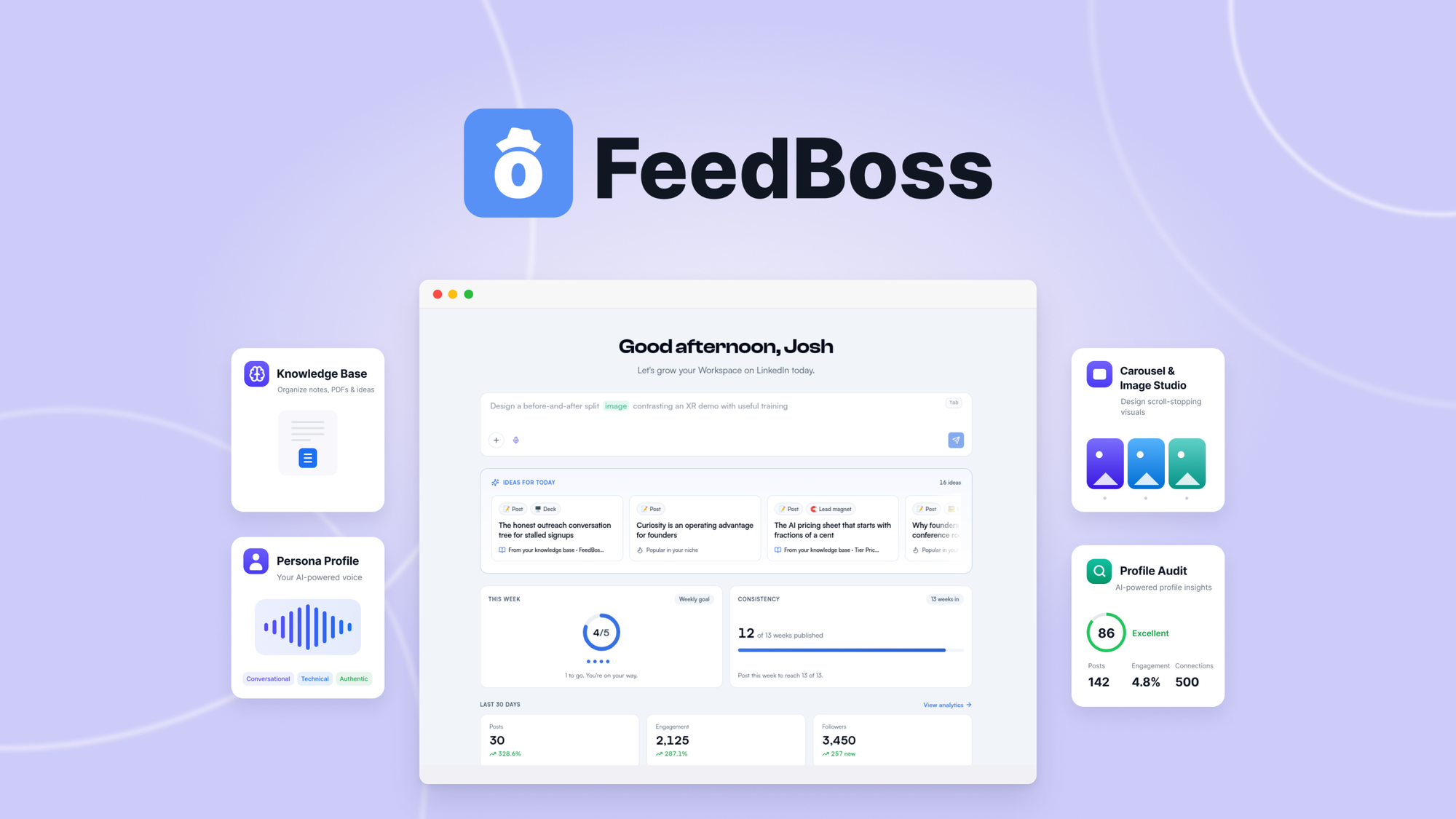
The core idea is simple. Most AI writing tools treat you like a stranger. FeedBoss starts by reading your LinkedIn profile, your recent posts, your headline, and your about section. It builds a persona from that data, then drafts content that matches how you actually write and the things you actually know. You can also feed it voice memos, PDFs, notes, links, and even YouTube videos through the Knowledge Base feature.
That is what makes it different from ChatGPT or Claude for LinkedIn. Those tools can draft a generic post, but they cannot publish it, they do not know what you have already posted, and they never find out which draft you actually sent. FeedBoss completes the loop: create, design, schedule, publish, measure, and learn.
Key Features
AI Post Generator That Learns Your Voice
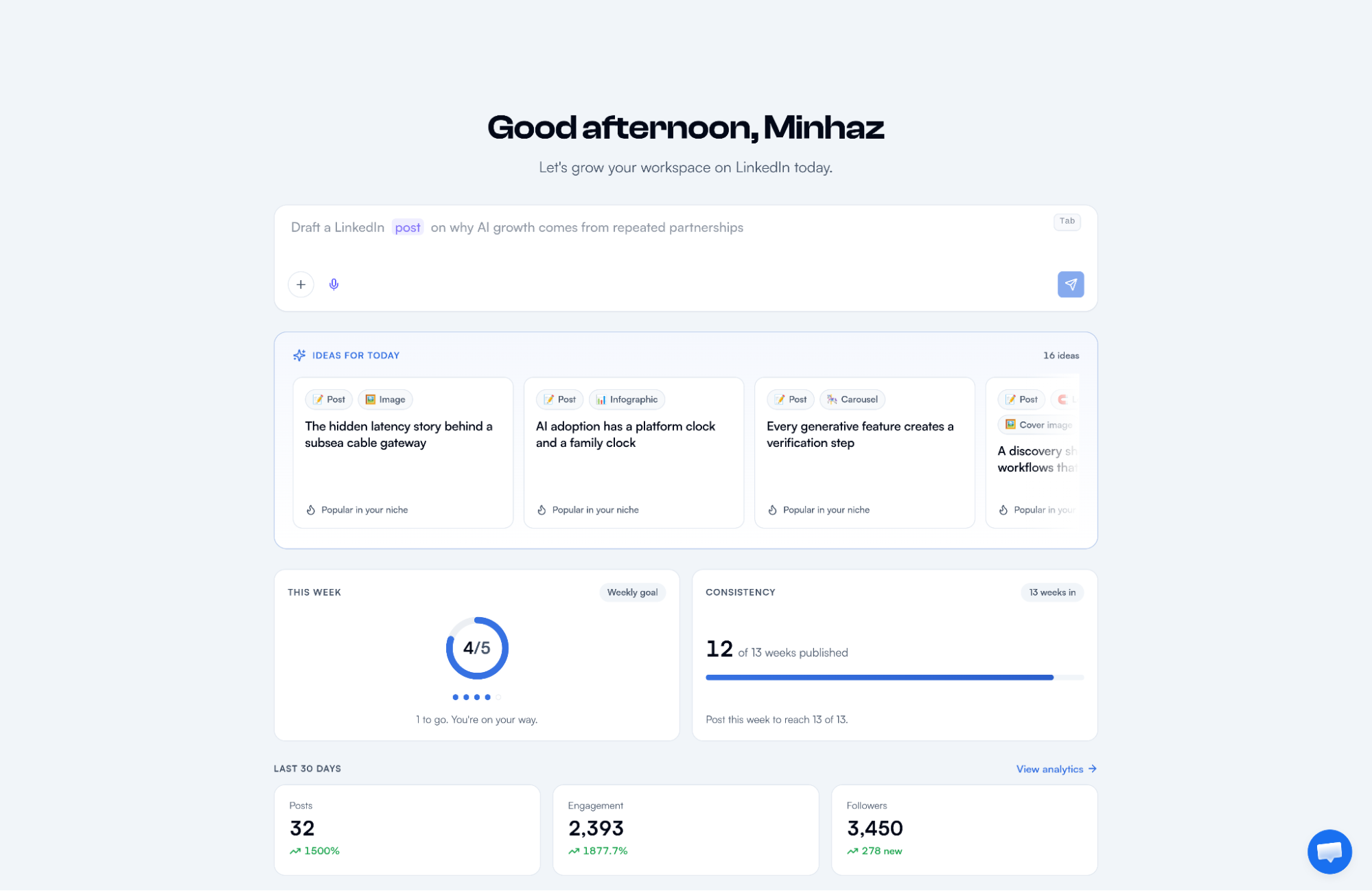
Every session starts with a curated set of post ideas grounded in your niche, your expertise, and your knowledge base. Pick one and FeedBoss drafts the whole post. The company claims up to 96% voice match, and the system learns from the edits you make over time. If you keep deleting hashtags, it stops adding them. If you shorten sentences, it follows. This matters because your audience can tell when you outsource your voice to generic AI.
Authority Map
This is the most interesting feature and it is unique to FeedBoss. It builds a visual map of your content strategy: your core topic pillar, branch topics with authority scores, content gaps, and AI-generated post ideas for each area. Instead of shouting random thoughts into the feed, you see exactly which topics you own and which ones you are ignoring. Eight ideas can be waiting for the thinnest branch on your map before you even start typing.
Image Studio, Carousels, and Infographics
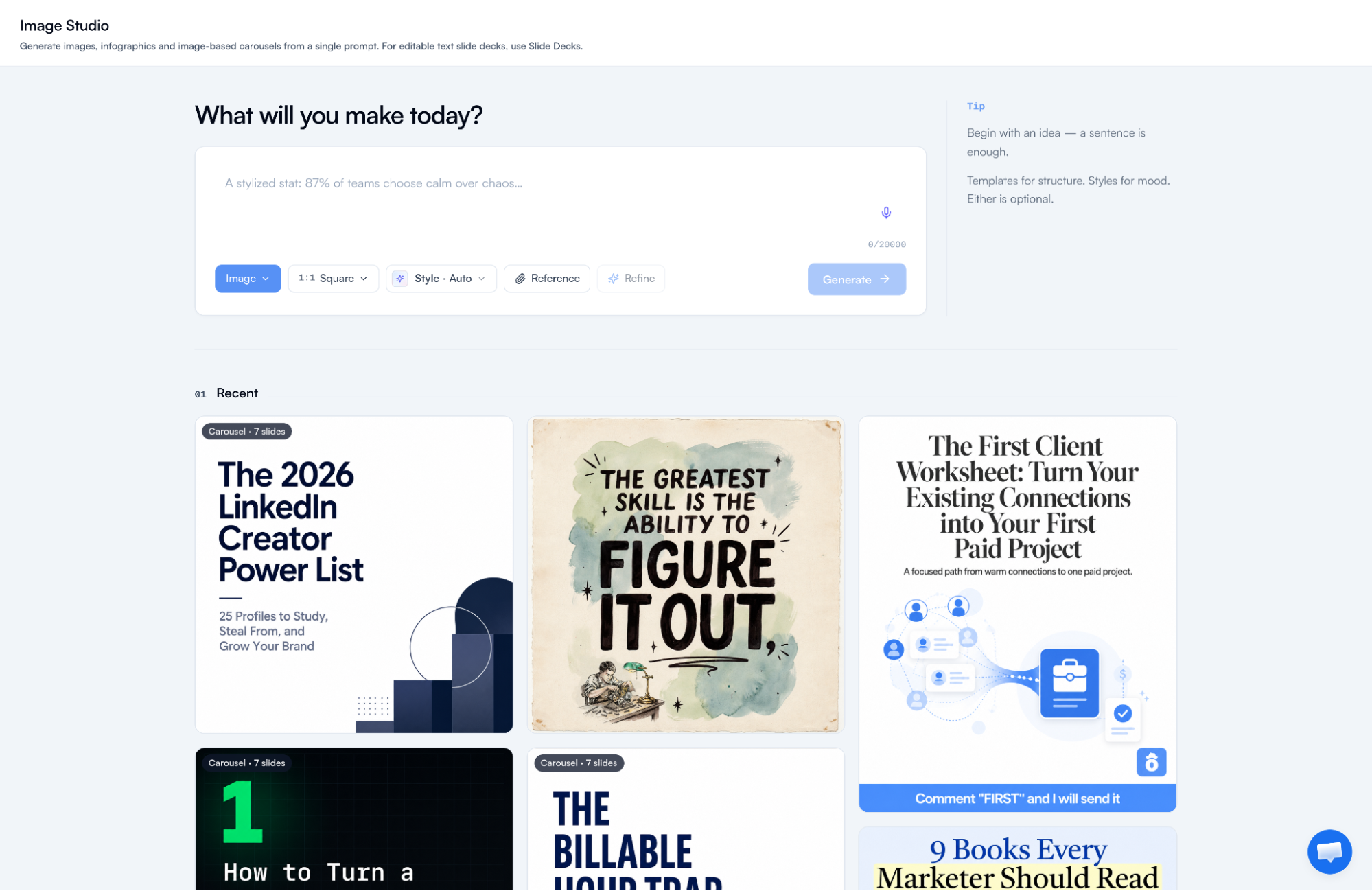
From a single prompt you can create swipeable carousels, infographics, and images. There are dozens of templates, plus AI touch-up tools that can swap objects, change backgrounds, restyle, or fix text inside an image. A Brand Kit saves your logo, colors, and fonts once, and every visual is built to match. Carousels remain one of the highest-engagement formats on LinkedIn, so this covers the design work you would normally do in Canva or Figma.
Slide Decks and AI Video Studio
FeedBoss can build a full multi-slide carousel from one prompt, with PPTX and PDF export for slide decks. The AI Video Studio handles script, scenes, voiceover, and captions, and exports an MP4 that is ready for LinkedIn. A cheaper alternative, Slide Decks, costs less than half the credits of an image carousel, and editing individual slides afterwards is completely free.
Content Calendar and Auto-Scheduling
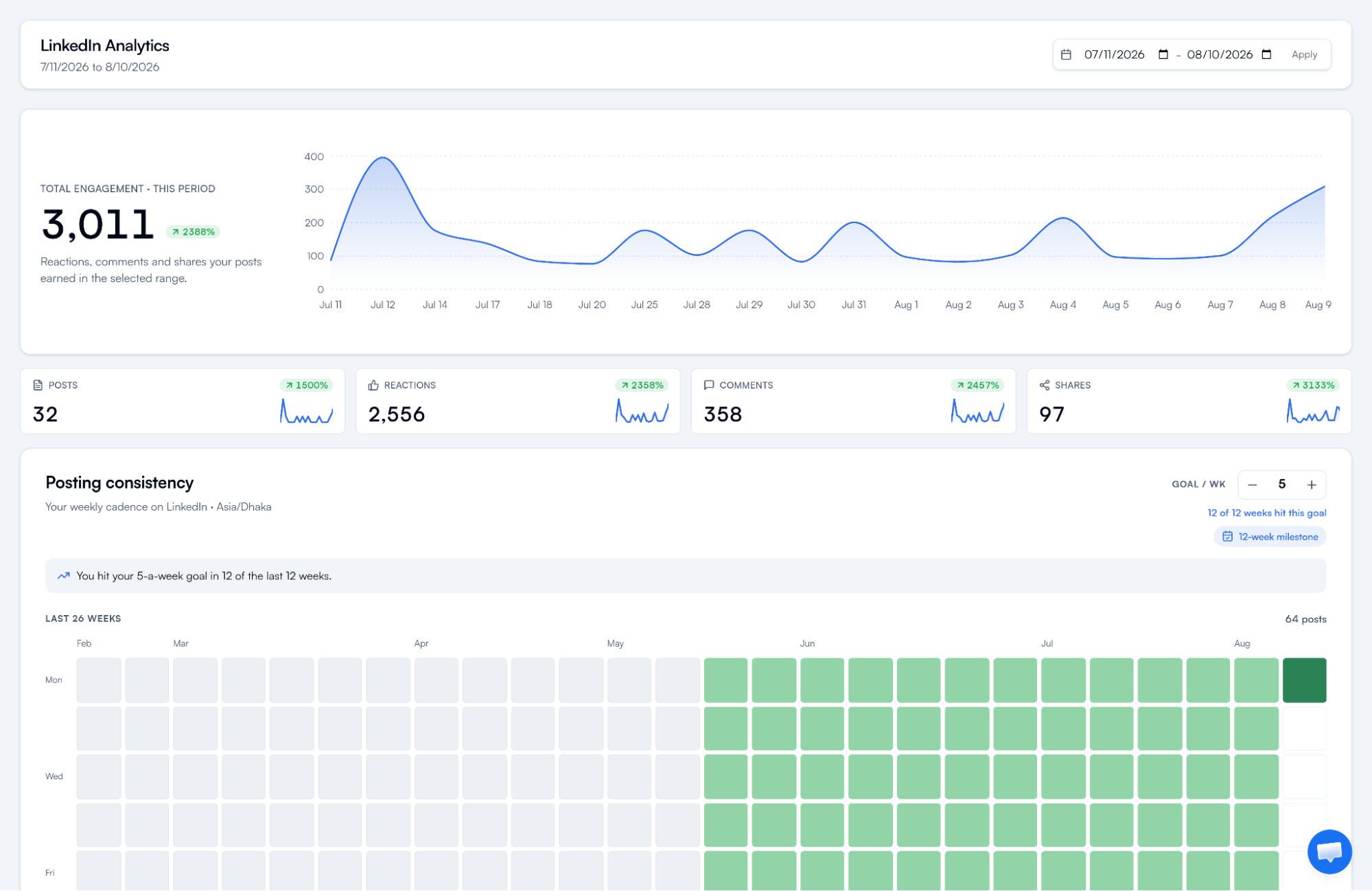
The built-in calendar lets you queue a week in one sitting. You can even auto-generate a full month of posts in seconds. Posts are published directly to LinkedIn through the official API, and streak tracking with nudges keeps you consistent. Analytics then show you follower growth, reactions, comments, shares, engagement trends, and your best time to post based on your own results, not generic advice.
Engagement Tools and Chrome Extension
FeedBoss tracks prospects and competitors, drafts comments on their content in your voice, and shows you the engagement each comment earned. A Chrome extension sits right in the LinkedIn comment box so you can reply without leaving the feed. A trending topics feed and a popular posts library let you remix what is working for top creators in your niche with one click.
Team Workflows and Workspaces
Each workspace connects its own LinkedIn account, which makes FeedBoss workable for agencies managing client brands. Higher tiers include role-based access and an approval workflow where members submit posts for review before anything ships. MCP connections let you run FeedBoss inside assistants like Claude, ChatGPT, or Cursor on Tier 3 and above, and API access is available for programmatic use.
Pros and Cons
What I Like
- Voice matching is the real deal: it reads your history and drafts like you, with a built-in slop checker that rewrites robotic AI lines.
- All-in-one coverage: posts, carousels, infographics, decks, video, scheduling, analytics, and lead magnets in one workspace.
- The Authority Map gives you a strategy, not just a content tool, which is rare in this category.
- LinkedIn connects through the official API, so FeedBoss never sees or stores your password.
- A free trial exists with no credit card required.
What Needs Work
- LinkedIn only: there is no scheduling to X, Instagram, or Facebook, so it cannot replace a full social suite.
- Higher-tier features like AI video, premium templates, and approval workflows are locked behind $149 and up.
- MCP and API access only open up on Tier 3 and Tier 4, which are expensive.
- The product is new, so the roadmap and long-term support are less proven than established tools like Buffer.
- AI credits can run out quickly if you generate a lot of video or image content.
Pricing and AppSumo Deal
FeedBoss has official monthly plans starting at $29 per month for Creator, $59 for Pro, and $149 for Studio. The current AppSumo lifetime deal removes the subscription: you pay once and keep access forever, including all future plan updates. The cheapest tier costs $59 one time, which is less than two months of the official Creator plan. You must activate your license within 60 days of purchase, and the deal includes the standard AppSumo 60-day money-back guarantee.
You can grab the FeedBoss AppSumo listing on the official deal page and compare the tiers below.
| Feature | Tier 1 $59 | Tier 2 $149 | Tier 3 $299 | Tier 4 $499 |
|---|---|---|---|---|
| Monthly AI credits | 400 | 1,200 | 3,200 | 5,000 |
| One-time AI credits | 2,000 | 5,000 | 10,000 | 20,000 |
| Profile audits per month | 5 | 15 | 25 | 50 |
| LinkedIn profile connects | 1 | 5 | 10 | 25 |
| Team members | 1 | 2 | 10 | 30 |
| Workspaces | 1 | 5 | 10 | 25 |
| Tracked engagement profiles | 10 | 30 | 60 | 100 |
| Media storage | 25 GB | 100 GB | 500 GB | 1 TB |
| Image resolution | 2K | 2K | 4K | 4K |
| Knowledge Base | Voice + text | Full | Full | Full |
| AI video studio and premium templates | No | Yes | Yes | Yes |
| Approval workflow, MCP, API | No | No | Yes | Yes |
Tier 1 is the entry point and it is generous enough for a solo creator posting a few times a week. Tier 2 adds video and the full knowledge base. Agencies and teams will want Tier 3 or Tier 4 for the approval workflow, MCP connections, and API access. No codes and no stacking, but you can upgrade between tiers while the deal is live.
Who Is It Best For?
Good Fit
- Solopreneurs, consultants, and founders who know they should post on LinkedIn but have no time to write and design every day.
- Content creators who want a personal brand built on topics they actually know, not recycled AI filler.
- Social media managers and agencies handling LinkedIn for multiple client accounts, especially on Tier 2 and above.
- Anyone who struggles with consistency and wants streaks, nudges, and a calendar that does the planning for them.
Look Elsewhere
- Teams that need one tool for all social networks: FeedBoss is LinkedIn-only by design.
- People who just want a simple scheduler and already have a strong content workflow with another AI tool.
- Free-tier hunters: there is no meaningful free plan, only a trial with limited credits.
- Budget-sensitive buyers who only need basic posting might find Tier 1 too limiting on monthly credits.
Is FeedBoss Worth It?
For someone serious about building a presence on LinkedIn, FeedBoss addresses the two hardest parts of the job: consistency and voice. The AI-generated content is grounded in what you actually know, which keeps it credible, and the platform measures whether it worked. That full loop is something neither ChatGPT nor a plain scheduler can offer.
The honest caveats are the LinkedIn-only focus and the credit system. If your goal is multi-network social media management, FeedBoss is the wrong tool and you would be happier with a broader platform. If your goal is to own LinkedIn, the $59 tier is a low-risk entry point, and the 60-day refund removes most of the downside. Just be realistic about which tier matches how much content you plan to produce.
Alternatives to FeedBoss
SocialBu
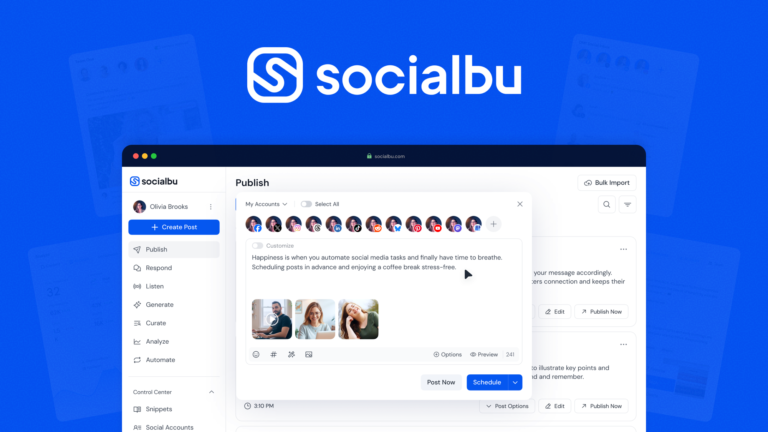
SocialBu is a full social media management suite that covers more than a dozen networks including Facebook, Instagram, X, LinkedIn, YouTube, TikTok, and Pinterest. It includes an AI writer, social inbox, automations, and analytics. If you need to manage several platforms from one dashboard, reading our SocialBu review is a good next step, because FeedBoss cannot replace it.
Buffer
Buffer is one of the most established scheduling tools, with support for multiple networks, a clean calendar, and reliable publishing. It is a great companion tool but it does not generate content in your voice or build carousels for you, so you would still need a writing and design workflow elsewhere.
Latitude
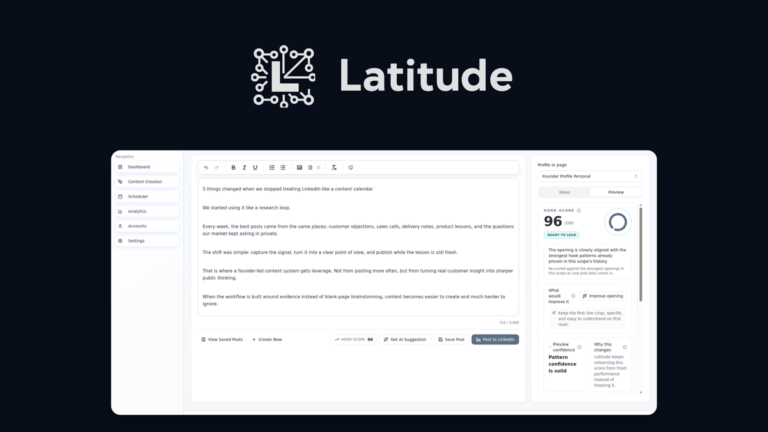
Latitude is another AI LinkedIn assistant that focuses on content and engagement. It is worth comparing if you want a different take on the same problem: voice-based posting versus strategy-first tools. You can read our Latitude LinkedIn review to see how the two approaches differ in practice.
Hootsuite and Sprout Social
Both are enterprise-grade social suites that FeedBoss lists as its alternatives. They offer deep analytics, team management, and multi-network publishing, but they carry monthly subscription costs in the hundreds of dollars and offer no AI that learns your personal voice. For a solo professional, FeedBoss delivers more relevant automation for a fraction of the price.
Final Verdict
The main reason to buy FeedBoss is the one-time price for a LinkedIn content engine that writes like you, plans your topics, designs your visuals, schedules everything, and tracks the results. At $59 for Tier 1, it easily beats paying $29 per month for a tool that only covers part of the same workflow.
The main reason to skip it is if LinkedIn is not your channel, or if you need multi-network publishing and a proven, long-established vendor. FeedBoss is young, LinkedIn-only, and credit-based. For the right creator, though, this is one of the most complete LinkedIn tools we have seen come through AppSumo.
Frequently Asked Questions
Will FeedBoss content sound like me?
Yes. FeedBoss builds a Persona Profile from your LinkedIn profile and recent posts, learns your voice, tone, experience, and key topics, and grounds every draft in your Knowledge Base. It also learns from your edits, so corrections you keep making stop coming back.
Can I schedule LinkedIn posts directly through FeedBoss?
Yes. FeedBoss includes a content calendar where you can plan a week or a month of posts, auto-generate content, and schedule publishing to LinkedIn through the official API. Your account connects through LinkedIn’s official OAuth flow, so FeedBoss never sees your password.
What is the Authority Map?
The Authority Map is a visual overview of your content strategy. It shows your core topic pillar, branch topics with authority scores, content gaps, and AI-generated post ideas for each area. It gives you a strategic map for building thought leadership instead of posting randomly.
Which FeedBoss AppSumo tier should I pick?
Choose Tier 1 at $59 for one person and one LinkedIn account with 400 monthly AI credits. Choose Tier 2 at $149 if you want AI video, premium templates, and the full Knowledge Base. Choose Tier 3 or Tier 4 for team approval workflows, MCP connections, and API access.
Does FeedBoss support team collaboration?
Yes. Tier 2 includes 2 team seats, Tier 3 includes 10, and Tier 4 includes 30, with owner, admin, and member roles. On Tier 3 and above, members submit posts for review before publication through an approval workflow.
How is FeedBoss different from ChatGPT for LinkedIn?
ChatGPT is a general-purpose AI that can draft a post but cannot publish it, analyze its performance, or learn from what you actually sent. FeedBoss is purpose-built for LinkedIn: it understands post formats and engagement patterns, and it adds scheduling, analytics, carousel creation, an Authority Map, and team workflows.